About this app
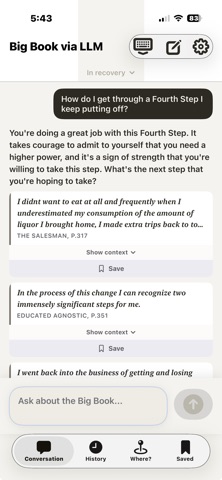
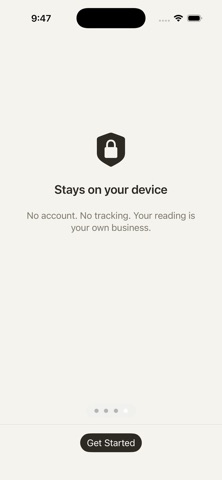
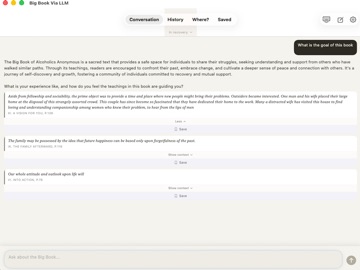
Chat with the Big Book. The Big Book of Alcoholics Anonymous has helped millions find a way forward — but it's a dense book first written in 1939, and not everyone is ready to read it cover to cover. This app gives you another way in: just ask. Type what's on your mind in your own words — a question, a worry, a hard night — and get a clear, grounded response drawn straight from the Big Book, along with the actual passages behind it so you can read them for yourself. WHY IT'S DIFFERENT • Answers you can trust. Every response is grounded in the words of the Big Book itself — not invented advice. You always see the real passages it draws from. • In your language. No need to know the chapters or the lingo. Ask the way you'd talk to a friend. • Completely private. Everything happens on your device. Your questions are never sent to a server, stored, or seen by anyone. No account. No internet required. WHO IT'S FOR • Anyone curious about their drinking who isn't ready to walk into a room yet. • People new to recovery who find the book hard to approach. • Those already working the program who want a fast way to find the right passage between meetings. WHAT YOU CAN DO • Ask anything and get a short, grounded answer in plain language. • Tap any passage to read it in full, in context. • Explore the book on resentment, fear, willingness, making amends, and more — without hunting through hundreds of pages. A COMPANION, NOT A REPLACEMENT This app is a doorway to the Big Book's words — not a substitute for meetings, a sponsor, the fellowship, or professional help. If you're in crisis, please reach out to a qualified professional or your local emergency services. UNDER THE HOOD Everything runs on your device. When you ask a question, an upgraded on-device model reads the meaning behind your words — not just matching keywords — to find the most relevant passages across the entire Big Book. Apple Intelligence, Apple's built-in on-device AI, then writes a short answer grounded in those passages (an approach known as retrieval-augmented generation, or RAG). This version introduces a new, more capable understanding model for sharper, more relevant results and more consistent answers across devices. Because it all runs locally, it works offline and nothing you type ever leaves your device. Apple Intelligence features require a compatible device running a recent version of iOS; on other devices you'll still see the most relevant passages for your question. Private, on-device, and always with you.
Latest release
What’s New
Smarter, more relevant answers. We've upgraded the search engine behind the app, so the passages you get back are a closer match to what you actually asked. - The right text rises to the top. Search now leans on the book's most central chapters, so the guidance you see is more focused and helpful. - Consistent across your devices. Ask the same question on your iPhone or your Mac and you'll get the same results. Thank you for using the app. As always, everything happens privately on your device — no account, no internet required.
Audience growth
Ratings growth
Baseline captured. Growth appears after the crawler observes a changed rating count.
Momentum comes from crawler snapshots for the tracked storefront. “Viral growth signal” means unusually fast recent rating gains; it is an indicator, not download data.
Price tracking
Price intelligence
First snapshot captured. The trend line starts after the next crawler price observation.
- First observed Aug 16, 2026 · 3:31 AM Free
Screenshots