About this app
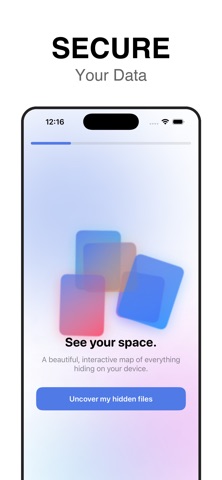
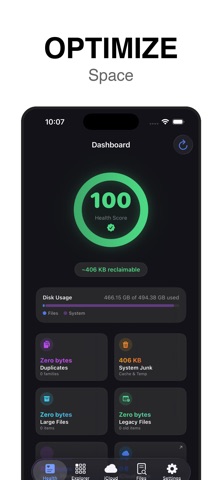
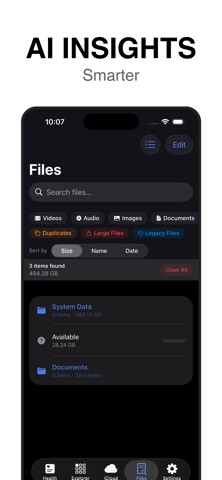
Stop guessing. Start seeing. Storage Map & Cleaner: FilePro turns your storage into a beautiful, interactive sunburst map — the fastest way to see what's eating your space and reclaim it with confidence. SIGNATURE: MULTI-RING SUNBURST MAP Your storage rendered as nested rings — inner rings are folders, outer rings their contents. Tap any segment to dive in, tap the center to zoom back out. Prefer boxes? One tap switches to a precision treemap, or a sorted list and grid. UNIFIED DEVICE MAP See your device exactly how the OS sees it. We break down the "System Data" black box, showing the relationship between your local files, media library, and hidden system overhead in one color-coded map. COLLECTOR — SAFE BATCH CLEANUP Add files to a Collector as you browse, review everything in one place with the total reclaimable size, preview with Quick Look, then delete it all in a single confirmed action. No accidental one-tap deletions. AI-DRIVEN CLUTTER MARKERS (iPhone/iPad) On-device analysis flags low-value items: Similar Photos: grouped and ranked for quick review. Blurry Media: instantly spot low-quality photos and video. Exact Duplicates: byte-for-byte matches hiding in your folders. INSTANT RECLAMATION Parallel scanning renders the map while it's still scanning, and deletions vanish from the map and totals instantly — no waiting for background updates. HEALTH SCORE & DASHBOARD (iPhone/iPad) A pro-grade dashboard with your storage health score, large-file breakdowns, and "Legacy" files you haven't touched in 6+ months. CHARGE GUARD Protect your battery's long-term health: a live charging screen alarms you at 80% (customizable with Pro) so you can unplug at the sweet spot. iCLOUD DRIVE PRO (iPhone/iPad) Offload (Evict) files to keep them safe in iCloud while freeing local space, or purge them permanently across all devices. Privacy & Transparency Real Path Transparency: We show you the actual system paths we scan so you are always in control. On-Device AI: Similar photo and blur detection happens 100% on your device. We never upload your files to the cloud. Secure & Compliant: Built using Apple’s latest security-scoped resource management. --- Subscription Information: - SpaceTreemap Pro offers auto-renewable subscriptions (Monthly, Yearly) and a Lifetime purchase. - Payment will be charged to your iTunes Account at confirmation of purchase. - Subscription automatically renews unless auto-renew is turned off at least 24 hours before the end of the current period. - Account will be charged for renewal within 24 hours prior to the end of the current period. - Subscriptions may be managed by the user and auto-renewal may be turned off by going to the user's Account Settings after purchase. Privacy Policy: https://docs.google.com/document/d/1jrn0h4AaZW_qzGaTgicYObJ3JFu6TJpkItLVgxiYriY/edit?usp=sharing Terms of Use (EULA): https://www.apple.com/legal/internet-services/itunes/dev/stdeula/
Latest release
What’s New
Welcome to Version 4.0! This release brings powerful new cleanup options and major performance enhancements: • 6 Ways to Clean: Clean files your way with multi-select batch deletion, folder filter pills, directory grouping mode, smart size selection, context menus, and quick swipe-to-delete. • Smart File Classification: Caches, GPU shaders (Metal), and data stores are now recognized with dedicated icons and contextual details instead of generic placeholders. • Safe Photos Deletion: Deleting large videos and photos now seamlessly sends them to Recently Deleted for 30 days, keeping you in complete control. • Polished Navigation: Streamlined settings and legal views with smooth navigation transitions. • Faster Analysis: Faster on-device storage sweep engine with instant local reclamation. Love Storage Map? Leave us a rating on the App Store to support future updates!
Audience growth
Ratings growth
Baseline captured. Growth appears after the crawler observes a changed rating count.
Momentum comes from crawler snapshots for the tracked storefront. “Viral growth signal” means unusually fast recent rating gains; it is an indicator, not download data.
Price tracking
Price intelligence
First snapshot captured. The trend line starts after the next crawler price observation.
- First observed Sep 30, 2026 · 11:27 AM Free
Screenshots