About this app
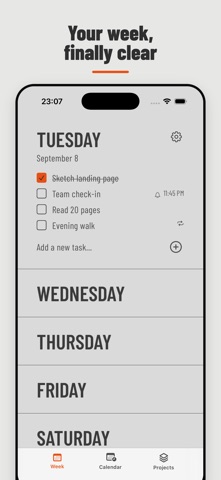
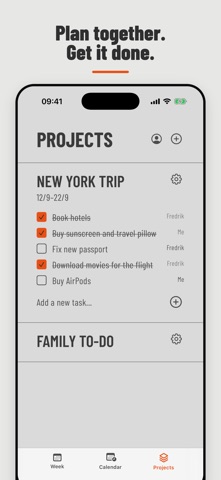
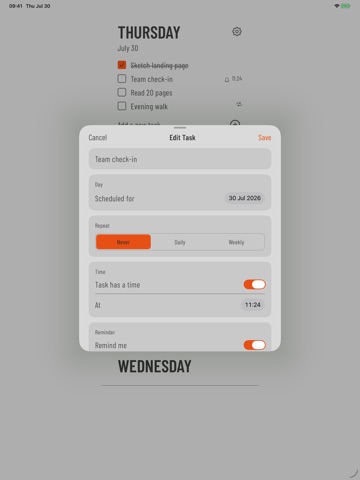
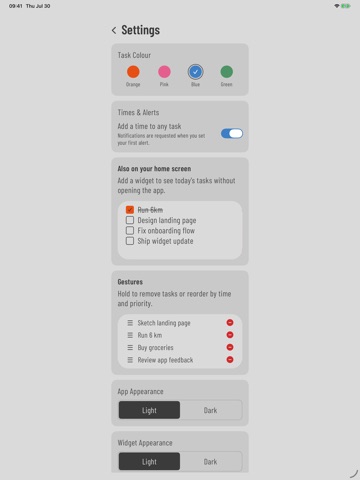
Plan your whole week in one calm, visual view. Weeklane is a minimal week planner and to-do list for people who want clarity without a crowded calendar. See today and the days ahead, add tasks in seconds, and move work forward as plans change. A VISUAL WEEKLY PLANNER • See seven days together in one clean weekly agenda • Add a task or checklist item directly to any day • Move and reorder tasks when priorities change • Check off completed work without losing sight of the week REMINDERS AND RECURRING TASKS • Add a time to any task • Set a reminder for the date and time you choose • Build daily and weekly routines with recurring tasks • Keep appointments and next actions together CALENDAR PLANNER • Browse future dates in a clear monthly calendar view • See Weeklane tasks on the day they are due • Optionally connect calendars synced to your device • View Google Calendar and Outlook events beside your tasks SHARED PROJECTS FOR FAMILY AND WORK • Create a shared to-do list for a trip, household, study plan or work project • Invite friends, family or teammates with a private link or code • Assign tasks and see who completed each item • Every free account includes one shared project; invited projects remain accessible • Use one calm family planner or work planner instead of scattered messages YOUR PLANNER, YOUR WAY • Choose orange, pink, blue or green task colours • Use light or dark appearance • Add the Weeklane home screen widget to see today’s tasks • Use Weeklane in 16 languages FREE TO START The simple weekly to-do list is free. New users receive 14 days of Weeklane Pro with no charge or subscription required. After the preview, the free weekly planner remains available. Monthly and yearly Pro subscriptions unlock reminders, recurring tasks, connected calendars and additional shared projects. Cancel anytime in App Store. Existing lifetime purchases remain honoured. Personal weekly tasks stay on your device. Shared Projects use a private cloud identity so invited members can collaborate in real time. Weeklane is a deliberately simple visual planner and productivity planner: less setup than a full calendar, more context than an endless to-do list, and a clearer way to plan every week. Terms of Use (EULA): https://www.apple.com/legal/internet-services/itunes/dev/stdeula/
Latest release
What’s New
Welcome to Weeklane 2.3. A new four-step introduction shows how to plan your week, set reminders and recurring tasks, share projects, and connect calendars. Weeklane now supports Hindi, Indonesian, Dutch, Polish and Turkish, asks for ratings only after meaningful use, and includes 14 days of Pro with no subscription required.
Audience growth
Ratings growth
Baseline captured. Growth appears after the crawler observes a changed rating count.
Momentum comes from crawler snapshots for the tracked storefront. “Viral growth signal” means unusually fast recent rating gains; it is an indicator, not download data.
Price tracking
Price intelligence
- First observed Aug 6, 2026 · 2:21 PM Free
Screenshots