About this app
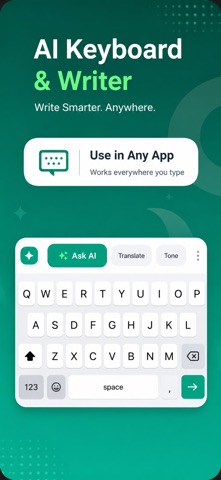
Stop retyping the same text over and over. AutoPaste turns your keyboard into a command center — save snippets, scan text from any photo, calculate numbers, generate passwords and more, all without switching apps. WHAT AUTOPASTE DOES SAVE + PASTE INSTANTLY Build a library of snippets — addresses, email templates, bank details, canned replies, anything you type more than once. Tap a snippet inside any app to paste it instantly. Organize with categories (Work, Personal, Funny, Prank, or your own custom ones). SCAN TEXT FROM ANY PHOTO Open the OCR page, pick a photo from your library, and AutoPaste uses on-device Vision AI to pull the text right out. Receipts, signs, handwritten notes, business cards — the recognized text pastes straight into your current text field. Everything happens on-device; your photos never leave your iPhone. BUILT-IN CALCULATOR A full scientific calculator (sin, cos, log, π, √, factorials, exponents) plus a dedicated VAT calculator with preset rates for 10 European countries (UK, Germany, France, Spain, Italy, Netherlands, Poland, Romania, Turkey, Sweden) — or set your own custom rate. Perfect for freelancers and small businesses. POWER-USER TOOLS • Password generator: strong random passwords with configurable length and symbols • Date / Time insert: today, now, ISO 8601, long date, custom formats • Invoice numbers: auto-incrementing INV-001, INV-002… • Unit converter: length, weight, temperature (metric ↔ imperial) • Case converter: lowercase, UPPERCASE, Title Case on the last word or selection • Clear field: wipe any text field in one tap QWERTY + EMOJI Full QWERTY layout with word suggestions, frequent emoji bar, and all the punctuation you'd expect. Use AutoPaste as your daily keyboard or switch to it whenever you need its extras. PRIVACY FIRST AutoPaste never sends your keystrokes anywhere. No accounts, no cloud sync, no analytics on what you type. Snippets live on your device, protected by Face ID / Touch ID. OCR runs entirely on-device using Apple's Vision framework photos stay local. Full Access is required so the keyboard can paste snippets into other apps and read photos you pick for OCR. We use that permission only for those actions. See our Privacy Policy for details. AUTOPASTE PRO Free accounts include everything listed above, capped at 1 saved snippet. AutoPaste Pro unlocks: • Unlimited snippets • Unlimited custom categories • All calculator + tool features • Priority support Subscriptions: • 1 Week $9.99 • 1 Year $34.99 (save 93% vs weekly) Subscriptions auto-renew until cancelled. Payment is charged to your Apple ID at purchase confirmation. Cancel anytime in your Apple Account Settings at least 24 hours before the period ends. All purchases are processed by Apple. WHY AUTOPASTE If you reply to messages with the same phrases, fill out forms with the same addresses, or deal with numbers / invoices / receipts regularly, AutoPaste saves you minutes every day. One keyboard, everything you need to skip the repetitive typing. Questions or feedback? Email mduzzalmia.dev@gmail.com Terms of Use: https://sites.google.com/view/termsofuse-autopastekeyboard/home Privacy Policy: https://sites.google.com/view/privacy-policy-autopaste/home
Latest release
What’s New
Bug fixes and improvements.
Audience growth
Ratings growth
Baseline captured. Growth appears after the crawler observes a changed rating count.
Momentum comes from crawler snapshots for the tracked storefront. “Viral growth signal” means unusually fast recent rating gains; it is an indicator, not download data.
Price tracking
Price intelligence
First snapshot captured. The trend line starts after the next crawler price observation.
- First observed Aug 14, 2026 · 12:30 AM Free
Screenshots