About this app
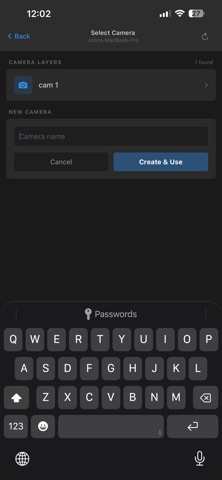
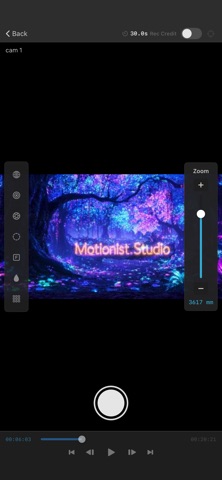
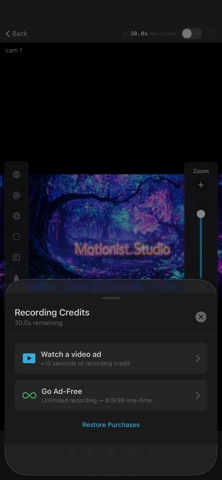
Turn your iPhone into a wireless virtual camera for Adobe After Effects and Blender. Move your phone to control the 3D camera in real time, and record keyframes by physically walking through your scene. Phone Cam Controller is the companion app for the free Phone Camera Control plugin for After Effects and the free Phone CamController add-on for Blender. Your computer and iPhone find each other automatically over Wi-Fi — no IP addresses, no pairing codes, no setup. NEW: BLENDER SUPPORT The same live preview, motion control, and keyframe recording you know from After Effects now work with Blender too. Install the free add-on, click Start Server in the Phone Cam sidebar, and your iPhone connects automatically. LIVE PREVIEW ON YOUR PHONE See your After Effects composition or Blender scene camera streamed to your phone in real time. Walk around the room, check framing, show a client — all without rendering. 6DOF CAMERA CONTROL Full six degrees of freedom — position (X, Y, Z) and orientation (pan, tilt, roll) — driven by your phone's motion and AR sensors. The camera on your computer mirrors your physical movement precisely. ONE-TAP & CONTINUOUS RECORDING Single-tap the shutter to drop a keyframe at the current time. Press and hold to record continuously — the host captures your motion frame by frame as real keyframes, creating smooth, natural camera animation. CAMERA SETTINGS FROM YOUR PHONE Control zoom (focal length), focus distance, aperture, blur level, and depth of field directly from your phone. Changes apply to the camera in real time. TIMELINE CONTROL Play, pause, scrub, step, and jump to start or end — all from your phone. No reaching for the keyboard mid-take. MULTI-PHONE SUPPORT Connect several phones at once. Each phone drives its own camera — perfect for scouting multiple angles or collaborating with a team. ZERO CONFIGURATION The plugin and app discover each other automatically via Bonjour/mDNS on your local network. Just open both and they connect. REQUIREMENTS • Adobe After Effects 2024 or later, OR Blender 4.2 or later (macOS, Windows, or Linux) • The free Phone Camera Control plugin (After Effects) or Phone CamController add-on (Blender) • iPhone and computer on the same local Wi-Fi network (5 GHz recommended) FREE TO USE The app is free with all features included. Recording keyframes uses Ad Credits (30 free on sign-up); watch a short ad to earn more, or upgrade to Ad-Free with a one-time in-app purchase for unlimited, ad-free recording. Everything else — streaming, camera control, camera settings, timeline, multi-phone — is unlimited and free. Your composition and scene data are streamed locally over your own Wi-Fi and are never uploaded to any server.
Latest release
What’s New
Blender support is here! Phone Cam Controller now works with Blender in addition to Adobe After Effects. Install the free Phone CamController add-on for Blender and your iPhone becomes a wireless virtual camera for your Blender scenes — the same live preview, 6DOF motion control, and keyframe recording you already use with After Effects. In this version: • Full Blender host support — the app connects to Blender or After Effects automatically over Wi-Fi • Live viewport streaming from Blender to your iPhone (Solid or Material Preview shading) • 6DOF camera control and continuous keyframe recording in Blender • Camera settings — zoom, focus distance, aperture, and depth of field — mapped to the Blender camera • Updated in-app setup guide covering both After Effects and Blender • Minor fixes and refinements The Blender add-on is free for macOS, Windows, and Linux. As always, the app finds your host automatically — no IP addresses, no setup.
Audience growth
Ratings growth
Baseline captured. Growth appears after the crawler observes a changed rating count.
Momentum comes from crawler snapshots for the tracked storefront. “Viral growth signal” means unusually fast recent rating gains; it is an indicator, not download data.
Price tracking
Price intelligence
First snapshot captured. The trend line starts after the next crawler price observation.
- First observed Sep 4, 2026 · 12:58 AM Free
Screenshots