About this app
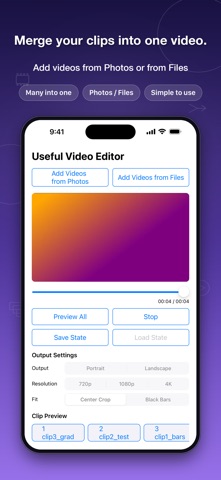
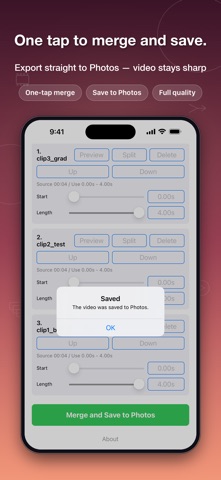
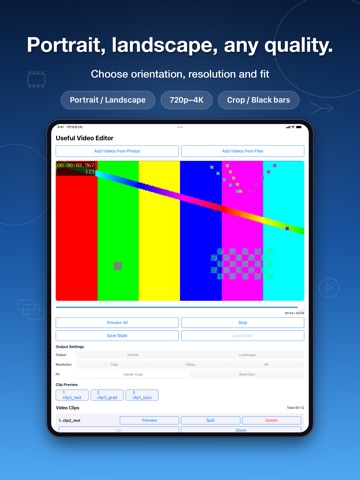
Useful Video Editor is a simple video editing app that lets you import multiple videos, keep only the parts you need, and export them as one finished video. Import videos from Photos or Files, preview them, and adjust the start point and the length you want to use. You can trim unwanted parts from the beginning or end, split a video at a chosen point, or delete clips you do not need before merging. It is useful when you want to combine short videos, remove unwanted parts from a recording, or rearrange several clips into one video. In addition to the full preview, each video and each clip has its own individual preview. You can check each part in place while editing without scrolling through the whole project to find it. Clip order can be changed with the up and down buttons. You can also save the current editing state, load it later, and continue from where you left off. When editing is finished, export the merged video and save it to Photos. Main features: - Import multiple videos - Adjust the start point and length of each video - Split a video at a chosen point - Delete unwanted clips - Reorder clips - Individual preview and full preview - Save and load editing state - Export the merged video and save it to Photos How to use: 1. Tap "Add Video" and select the videos you want to connect. 2. Imported videos are merged in the order shown in the list. 3. Adjust the start point and length of each video as needed. 4. If you want to split a video, split it at the chosen point. 5. Delete unwanted clips and reorder the clips as needed. 6. Check the result with the individual preview or full preview. 7. Tap "Export Video" to save the merged video.
Latest release
What’s New
Updated screenshots to make the app’s content easier to understand.
Audience growth
Ratings growth
Baseline captured. Growth appears after the crawler observes a changed rating count.
Momentum comes from crawler snapshots for the tracked storefront. “Viral growth signal” means unusually fast recent rating gains; it is an indicator, not download data.
Price tracking
Price intelligence
First snapshot captured. The trend line starts after the next crawler price observation.
- First observed Sep 22, 2026 · 8:53 PM Free
Screenshots