About this app
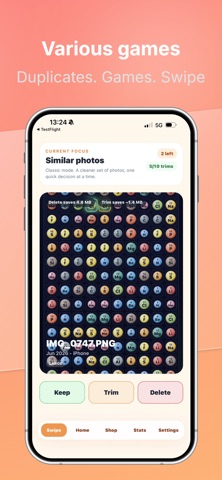
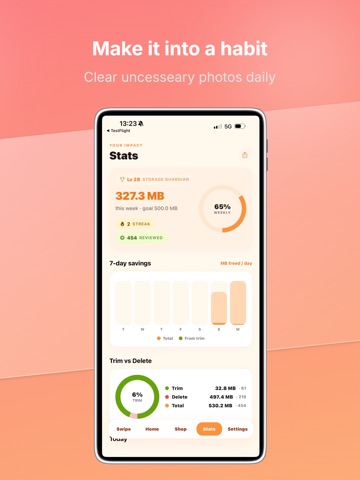
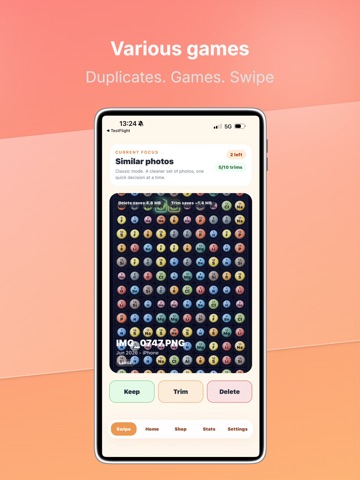
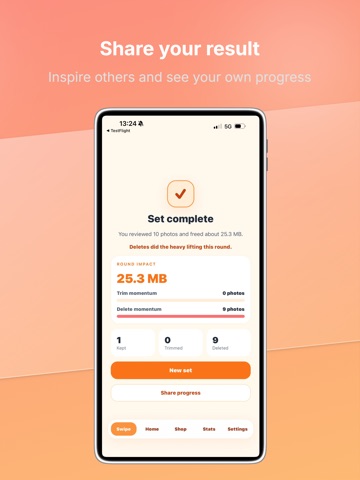
TrimSwipe turns photo cleanup into quick swipes, focused games, and clear storage progress. Review your camera roll without doom-scrolling. Keep the memories that matter, trim photos to reduce file size, or mark clutter for deletion. Nothing is removed until you confirm it. What you can do with TrimSwipe: - Swipe to keep, trim, or delete photos - Trim photos by removing unnecessary data and compressing file size - Review large photos, old photos, screenshots, bursts, blurry shots, and similar photos - Use Quick Scan to estimate cleanup opportunities - Run Deep Clean for a guided full-library cleanup plan - Play cleanup mini games like This or That, Storage Budget, and Memory Lane - Track daily goals, reviewed photos, trimmed photos, deleted photos, and storage reclaimed - Confirm all delete and trim actions before anything changes - Share your progress when you want to show the space you reclaimed TrimSwipe Pro unlocks more powerful cleanup tools: - Unlimited trims - Deep Clean - Advanced trim controls - Weekly and monthly progress report dashboards - Export reports as an image or PDF - Scheduled cleanup checks that prepare suggestions for you to confirm - Ad-free cleanup flow TrimSwipe helps you turn a messy camera roll into a lighter, cleaner photo library — one swipe at a time. Terms of Use (EULA): https://www.apple.com/legal/internet-services/itunes/dev/stdeula/
Latest release
What’s New
What’s New in 1.1.2 Make photo cleanup faster, clearer, and more rewarding with TrimSwipe. • Review photos with quick swipe actions to keep, trim, or mark for deletion. • Use Quick Scan to spot potential storage savings. • Explore focused cleanup categories, including large photos, old photos, screenshots, bursts, blurry shots, and similar photos. • Try cleanup mini games like This or That, Storage Budget, and Memory Lane. • Track reviewed photos, trimmed photos, deleted photos, daily goals, and storage reclaimed. • Review and confirm all trim and delete actions before anything changes. • Share your cleanup progress and reclaimed storage when you’re ready. • Added support for Promo Codes
Audience growth
Ratings growth
Baseline captured. Growth appears after the crawler observes a changed rating count.
Momentum comes from crawler snapshots for the tracked storefront. “Viral growth signal” means unusually fast recent rating gains; it is an indicator, not download data.
Price tracking
Price intelligence
First snapshot captured. The trend line starts after the next crawler price observation.
- First observed Aug 7, 2026 · 9:50 PM Free
Screenshots