About this app
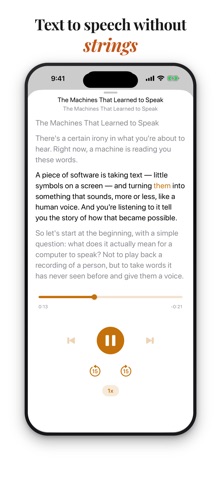
Audiary turns your text into something you can listen to. Paste an article, share a document, or type your own content — then press play and listen with high quality voices powered entirely by on-device AI. No subscriptions. No ads. No cloud processing. Just clear, natural speech that runs locally on your iPhone. ON DEVICE NEURAL VOICES Choose from 20 AI-powered voices with remarkably natural pacing and intonation. Male and female options, each with a unique character. Preview any voice before selecting it. Neural voices run entirely on your device — your text never leaves your phone. THREE VOICE TIERS - Neural: Natural AI voices (20 options, one-time 90 MB download) - Enhanced: Apple's high-quality system voices - Default: Basic system voices, always available Pick the tier that fits your device and preference. Switch anytime in Settings. BUILT FOR LISTENING - Markdown-aware chapters — headers become skippable tracks - Adjustable speed with pitch preservation (0.75x to 1.5x) - Full lock screen and background playback controls - Word-by-word highlighting in the full-screen player - Resume exactly where you left off GET CONTENT IN EASILY - Paste from clipboard - Share from any app (text, markdown, PDFs, Notes exports) - Type or edit directly in the built-in editor CUSTOM PRONUNCIATIONS Teach Audiary how to say names, acronyms, or technical terms. Add phonetic spellings in Settings and neural voices will use them every time. SIMPLE, HONEST PRICING Audiary comes with 15 minutes of free listening — no account required, no feature restrictions. After that, a single one-time purchase unlocks unlimited playback forever. No subscriptions, no catches.
Latest release
What’s New
Audiary 1.3 turns shared links into clean, listenable articles. • Share any web page — Audiary extracts just the article: no menus, ads, or cookie banners, with chapters built from the article's headings • Edit before you save: the share sheet is now fully editable, with live word count and listen time • New editor tools: mark chapters with ##, hear how the voice pronounces a selection before saving, find in text, undo and redo • Chapter controls now work from the first chapter you add • Fixes and refinements throughout
Audience growth
Ratings growth
Baseline captured. Growth appears after the crawler observes a changed rating count.
Momentum comes from crawler snapshots for the tracked storefront. “Viral growth signal” means unusually fast recent rating gains; it is an indicator, not download data.
Price tracking
Price intelligence
First snapshot captured. The trend line starts after the next crawler price observation.
- First observed Aug 20, 2026 · 12:20 AM Free
Screenshots