About this app
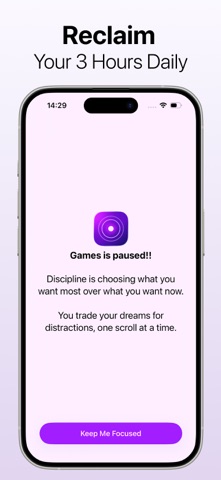
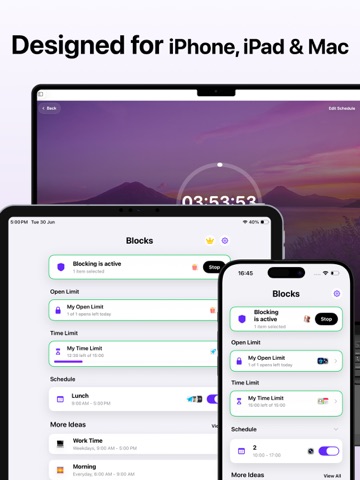
Focus better. Scroll less. Take back control with Ocus. Ocus is a powerful focus and screen time app designed to help you stay productive, reduce distractions, and build healthier digital habits. Whether you're studying, working, reading, or simply trying to spend less time on distracting apps, Ocus gives you flexible tools to stay in control. Simple to set up and easy to use, Ocus helps you focus on what matters most. Key Features - Block distracting apps and websites instantly - Create deep focus sessions with custom schedules - Set app usage goals and intentional unlock limits - Pause before opening distracting apps - Reduce endless scrolling with smart interruptions - Customise focus rules by time and day - Stay motivated with streaks and productivity tracking - Lock settings to prevent bypassing restrictions - Minimal, fast, and privacy-friendly experience Ocus is built for students, creators, professionals, and anyone looking to improve focus and reduce screen time. Subscription & Pricing Some features may require an active subscription. Subscriptions automatically renew unless canceled at least 24 hours before the end of the current billing period. You can manage or cancel your subscription anytime from your Apple ID account settings after purchase. Pricing may vary by region. Privacy Policy Ocus is designed with privacy in mind. We do not sell your personal data to third parties. Any analytics or diagnostic information collected is used only to improve app performance, reliability, and user experience. For more information, please review our Privacy Policy: https://swiftybrains.com/privacy-policy/ Terms & Conditions By using Ocus, you agree to our Terms of Use and End User License Agreement. Terms & Conditions: https://swiftybrains.com/terms-of-use/ Contact Support Need help, found a bug, or have a feature request? Contact us anytime: contact.swiftybrains@gmail.com
Latest release
What’s New
In this version of Screen Time Control app there are minor bug and performance fixes.
Audience growth
Ratings growth
Baseline captured. Growth appears after the crawler observes a changed rating count.
Momentum comes from crawler snapshots for the tracked storefront. “Viral growth signal” means unusually fast recent rating gains; it is an indicator, not download data.
Price tracking
Price intelligence
First snapshot captured. The trend line starts after the next crawler price observation.
- First observed Aug 8, 2026 · 5:58 PM Free
Screenshots