About this app
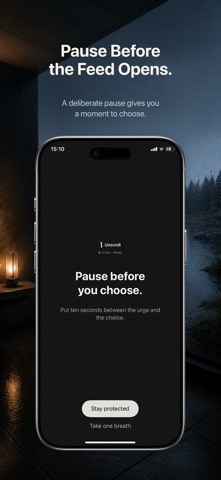
Stop the reflex before it becomes another lost hour. Unscroll helps you block distracting apps, start focus sessions, and build a calmer pause between the urge and the scroll. Choose the apps that pull you in, start a shield, and track the time you protect. Use Unscroll for: - Blocking social media, video, news, and other distracting apps - Focus sessions for work, study, sleep, and routines - Hard Mode when you need stronger friction - Streaks, progress, and simple insights that show what you get back Unscroll uses Apple Screen Time APIs so you choose what to protect. Take back the next open before it turns into a scroll. MORE THAN A TIMER - Standard Shield adds a 10-second pause before you can choose again. - Hard Mode adds a full 60-second intervention when a quick override would be too easy. - Save reusable Focus routines for work, study, sleep, or downtime. - Create replacement Habits, choose their days and reminder time, and mark real progress. - See completed sessions, protected time, streaks, and collectible milestones in Journey. - Use private Daily Insights and seven-day Screen Time views to understand your patterns. START IN THREE STEPS 1. Allow Screen Time access. 2. Pick the apps, categories, and websites you want to protect. 3. Choose a duration and begin Focus. PRIVACY BY DESIGN Your protected selections and detailed Screen Time activity stay on your iPhone. Screen Time reports use Apple's privacy-preserving frameworks. Optional Apple sign-in can protect eligible progress; the core app does not require an account. Hard Mode and higher Routine or Habit limits require Unscroll Pro. Subscription terms are shown before purchase, and eligible App Store purchases can be restored from Settings. The app interface is currently available in English. Privacy Policy: https://unscroll-app-ey1.pages.dev/privacy.html Terms of Use: https://unscroll-app-ey1.pages.dev/terms.html
Audience growth
Ratings growth
Baseline captured. Growth appears after the crawler observes a changed rating count.
Momentum comes from crawler snapshots for the tracked storefront. “Viral growth signal” means unusually fast recent rating gains; it is an indicator, not download data.
Price tracking
Price intelligence
First snapshot captured. The trend line starts after the next crawler price observation.
- First observed Aug 21, 2026 · 12:05 AM Free
Screenshots