About this app
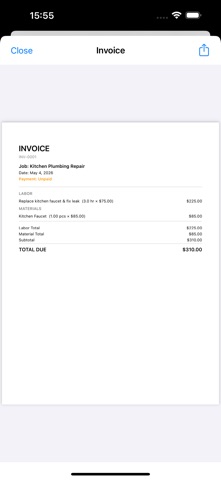
Trade-specific templates and on-device AI, free for contractors. JobTally is built for tradespeople, contractors, and small business owners who need a fast, simple way to track jobs and get paid — without subscriptions, without forced sign-up, without surprise paywalls. Everything stays on your device. — New in 1.1.0 — • Pick the trades you work in (Electrician, Plumber, Painter, Carpenter, Landscaper, Roofer, Handyman) and JobTally surfaces relevant work item and material templates when you add line items. • Draft a polite follow-up email for any unpaid invoice with one tap. Generated on-device using Apple Intelligence — no data leaves your iPhone. • See a monthly summary of your revenue and unpaid totals, also written on-device with Apple Intelligence. — Made for the field — • Track jobs through Pending → In Progress → Done. • Log labor hours and material costs as you go. • Attach site photos directly to each job. • Mark invoices Paid, Partial, or Unpaid at a glance. — Professional documents in seconds — • Generate clean estimates and invoices as PDFs. • Add your business name, address, phone, and logo. • Configurable tax rate field (VAT / GST / Sales Tax — your number, your rules). • Automatic invoice numbering. • Choose from 20+ currencies (USD, GBP, AUD, CAD, EUR, JPY, and more). — Truly yours — • Fully offline. Your data never leaves your iPhone. • No login. No account. No cloud forced on you. • Free forever. Ad-supported, no paywall behind features. • AI features use Apple Intelligence on-device — no network, no API key, no per-call cost. — Localized — Available in English, Japanese, Spanish, French, German, Portuguese, Korean, and Chinese. — Why JobTally? — Most invoicing apps lock essentials behind a subscription. JobTally doesn't. Make professional invoices today, on your iPhone, for free, offline.
Latest release
What’s New
• iPad support — JobTally is now universal with a two-column layout for the bigger screen. • Revenue dashboard — see monthly revenue, what's been paid, and what's outstanding at a glance. • Voice job entry — just describe a job out loud and on-device Apple Intelligence structures it for you. • Bug fixes and localization improvements.
Audience growth
Ratings growth
Baseline captured. Growth appears after the crawler observes a changed rating count.
Momentum comes from crawler snapshots for the tracked storefront. “Viral growth signal” means unusually fast recent rating gains; it is an indicator, not download data.
Price tracking
Price intelligence
First snapshot captured. The trend line starts after the next crawler price observation.
- First observed Aug 20, 2026 · 10:56 PM Free
Screenshots