About this app
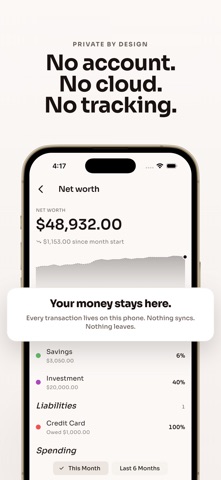
Where does your money actually go each month? Budget shows you. No ads, no account needed. Log every expense, income, transfer, charge, or payment. Pick the account, pick the category, add an optional note. Set monthly limits per category, schedule recurring bills and paychecks, and save toward goals like vacation or an emergency fund. Everything you log lives on your phone, with no sign-in and no cloud sync. Answers to your money questions • Where did all my money go this month? • How much can I still spend on groceries before I'm over budget? • What's my current net worth? • When is my next bill due? • How much have I saved for vacation so far? • Did this account move up or down this month? Transactions • Expense, income, and transfer entries • Charge and payment entries for credit cards and loans • Required fields: amount, account, category, date • Optional note on every transaction • Edit or delete with a tap Accounts • Asset accounts: cash, checking, savings, investment • Liability accounts: credit cards, loans, lines of credit • Per-account name, color, and a toggle to include or exclude from your total • Balances roll up to a Net Worth total • Bars showing each account's share of the total • Archive retired accounts and restore them later Budgets • One-off budgets per expense category, per month • Recurring budget templates that renew every month • Progress bar with remaining or over-by amount • Tap a category to see the month's transactions • End a recurring budget on any month Recurring transactions • Daily, weekly, biweekly, semimonthly, monthly, or yearly cadence • Optional end date on every series • Upcoming entries appear on the home screen • Calendar shows projected and recorded entries with different markers Saving goals • Name, optional target, optional deadline • Presets: Vacation, Car, House, Wedding, Emergency Fund • Progress ring with percent complete and a Reached state • Deposits and withdrawals create linked transactions • See remaining amount, percent complete, and days to deadline Calendar • Month grid with markers on transaction days • Different markers for recorded and projected (recurring) entries • Tap a day to see that day's transactions and projections • Projected end-of-month balance at the top Stats • Expense breakdown by category for the active range • This Month or Last 6 Months toggle • 6-month income and expense bar chart • Income, Expense, and Net columns at the bottom • Tap any category in the legend to see its transactions Net Worth • Assets minus liabilities at the top • Month-to-date change since the start of the month • Line chart of net worth over time • Per-account asset and liability breakdowns More to explore • 28 hand-built themes • Daily reminder with quiet days • Cent-accurate math, no rounding errors • Translated into 39 languages Ad-free & private • No ads • All data stays on your device • No account required. Works completely offline Your money, your phone. Disclaimer This app is for personal money tracking and is not financial advice. All figures reflect what you log. Always verify against your bank or card statements.
Latest release
What’s New
- Haptic feedback on taps, pickers, and confirmations - Reminders fire in your correct time zone - Correct currency symbol in calendar and stats Thank you for using Budget!
Audience growth
Ratings growth
Baseline captured. Growth appears after the crawler observes a changed rating count.
Momentum comes from crawler snapshots for the tracked storefront. “Viral growth signal” means unusually fast recent rating gains; it is an indicator, not download data.
Price tracking
Price intelligence
First snapshot captured. The trend line starts after the next crawler price observation.
- First observed Aug 17, 2026 · 10:29 PM Free
Screenshots