About this app
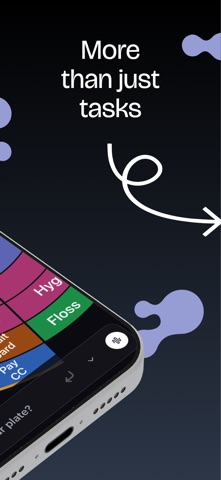
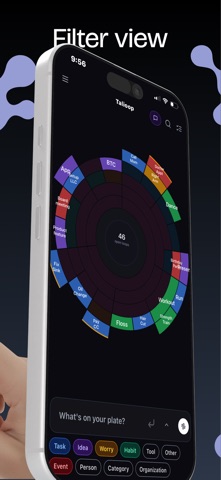
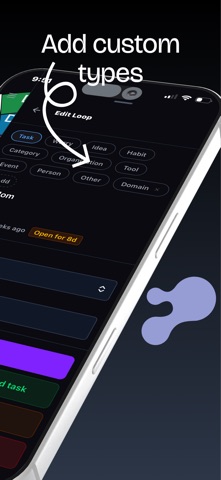
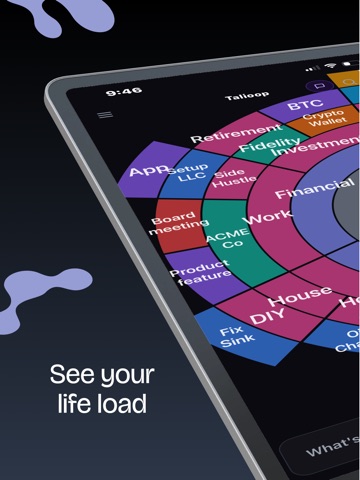
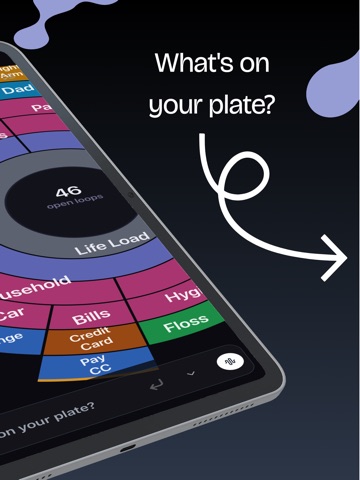
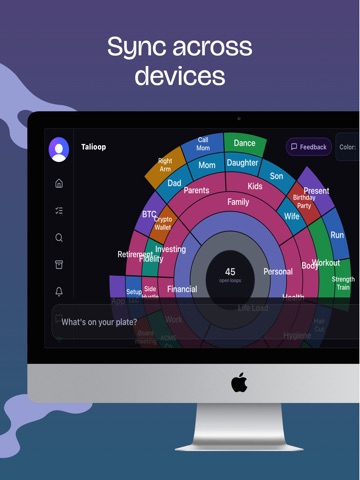
The weight of your life load is so much more than a to-do list. Every unfinished task, pending conversation, and lingering worry lives rent-free in your mind — creating pressure that scrambles your focus and stresses your recall. Talioop gives you a place to see and manage all of it within a single view. See what's really on your plate. Talioop renders every open loop as an arc on a single radial sunburst — your whole mental load on one screen. Bigger arcs are bigger areas of life; stacked arcs categorize where thoughts reside. Pinch to zoom, drag to rotate, double-tap to recenter. The longer something has been open, the more it stands out. Capture in seconds — type or talk. Tap the bar at the bottom of the plate and write a sentence ("Reply to Sarah," "Book flights," "Worried about taxes"). Or hold the mic and dictate — Talioop transcribes your voice with Whisper and turns it into a loop. Cmd+K focuses capture from anywhere. Voice commands that manage, not just capture. Say "close book flights," "mark Mom waiting on me," "add Reply to Sarah under Work" — Talioop parses the intent with Claude and runs the action across your existing loops. Compound commands work in one breath. "Undo" reverses the last move. AI sorts itself. Every new loop is auto-typed (task, worry, idea, habit, person, event, organization, tool, or one of your own custom types) and auto-parented under the most relevant existing area of your life. A 2-word label is generated for the arc so the chart stays readable as it grows. Loops can wait on each other. Mark something "waiting on Bob" with a free-text note and stop re-checking it every day. Closing a parent cascades closure down its whole subtree. Stale loops surface themselves. Anything you haven't touched in two weeks rises to a stale-loop nudge so nothing rots silently in the back of your mind. Closure that feels like closure. Tasks burst into confetti when you check them off. Events tear off the calendar like a page being ripped away. Closing matters — research shows open loops consume working memory even when you're not thinking about them. A list when you want one. Switch to the list view for a vertical checklist of every open loop, filtered by type, with per-type counts at the top. One-click checkbox closes the loop. Real-time across every device. Sign in with Apple, the web app, or any other device — edits appear everywhere within a second. Talioop isn't another to-do app. It's a cognitive offloading tool built for people who think deeply, don't want to over commit and want to finally be organized with clear direction. --- EULA: https://www.apple.com/legal/internet-services/itunes/dev/stdeula/ Privacy Policy: https://app.talioop.com/privacy
Latest release
What’s New
Home Screen widgets are here! Capture a thought, start voice capture, or jump straight to your plate from your Home Screen - and the new List widget shows your current list and lets you check off loops without opening the app. Also new: - Brain dump: type everything on your mind and Talioop organizes it onto your plate for you - Snoozed panel: see what's sleeping, when it wakes, or wake it now - Repeats view: everything on repeat in one place, editable inline - Custom colors for your loop types - Smoother onboarding and many fixes
Audience growth
Ratings growth
Baseline captured. Growth appears after the crawler observes a changed rating count.
Momentum comes from crawler snapshots for the tracked storefront. “Viral growth signal” means unusually fast recent rating gains; it is an indicator, not download data.
Price tracking
Price intelligence
First snapshot captured. The trend line starts after the next crawler price observation.
- First observed Aug 21, 2026 · 12:09 PM Free
Screenshots