About this app
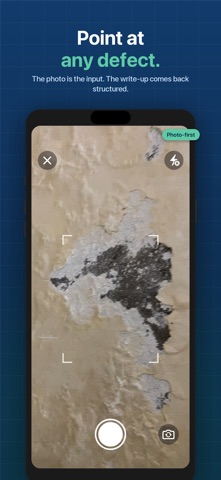
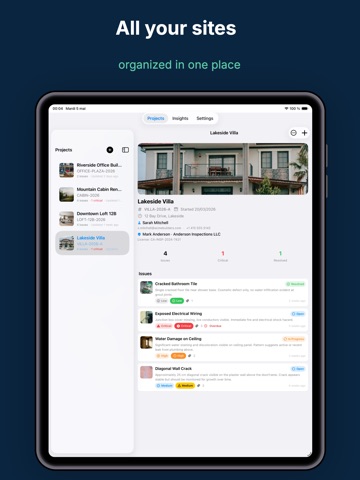
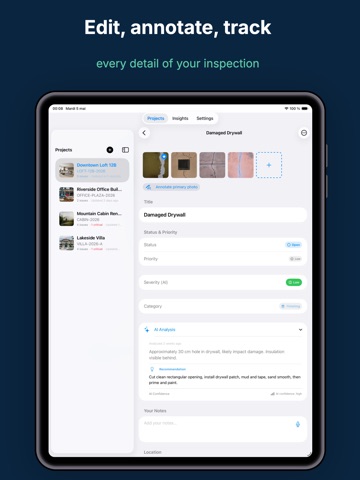
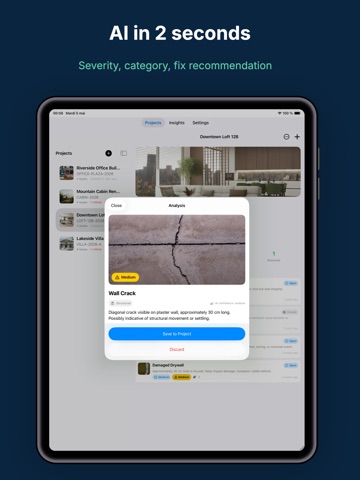
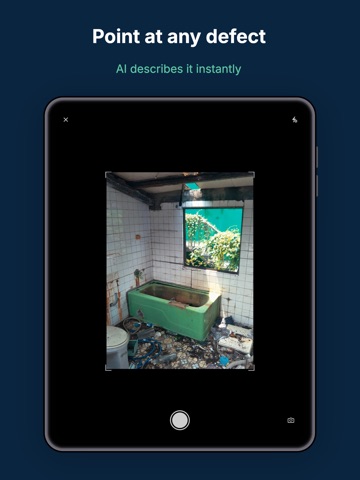
Punch List AI turns a photo of a defect into a finished, professional inspection report. Point your camera at any defect on site. The app drafts the description, severity, category and recommended fix in seconds. You review it, keep it or rewrite it, and it goes on the report as your own finding. BUILT FOR SITE PROFESSIONALS • Home inspectors, general contractors, superintendents, project managers, architects and property managers • Punch lists, deficiency lists, pre-closing walkthroughs, warranty and condition inspections CAPTURE • Photo-first: shoot on site, or import from your library • Several photos per issue, with non-destructive markup (Apple Pencil supported) • Voice dictation for your notes • Capture, edit and export offline; only the AI analysis needs a connection TRACK • Status (Open, In Progress, Resolved, Closed, On Hold), severity and priority • Auto-generated references, location, trade, tags and due dates with overdue flags • Project details: client contact, inspector, license, reference and dates REPORT • One-tap PDF: cover page, summary table and one page per issue with photos and markup • Everything you enter is on the report: reference, dates, client contact, inspector and license, priority, trade, location, due date, tags • Your logo and company name on every page (Pro) SYNC AND PRIVACY • iCloud sync between your iPhone and iPad; your data survives a new device or a reinstall • No account to create: your data lives on your devices and in your private iCloud • Photos are analyzed by AI only when you ask, and never used for anything else • No third-party tracking SDK FREE AND PRO Free: 1 project, 5 issues per project, 3 photos per issue, reports with a watermark. Pro: unlimited projects and issues, up to 100 photos per issue, clean branded reports, AI Insights across your projects, priority support. 7 DAYS FREE — then $9.99/month or $59.99/year (save 50%). Nothing is charged during the trial: cancel any time before day 7 and you pay nothing. Subscriptions renew automatically unless cancelled at least 24 hours before the end of the period. Manage or cancel in your iPhone Settings. SUPPORT Questions or feature requests are read by a person: punchlistai@niceexpress.org Guides, templates and field checklists: punchlistai.app Terms of use: https://punchlistai.app/terms/ Privacy policy: https://punchlistai.app/privacy/
Latest release
What’s New
Three fixes to the 1.1 release, plus everything 1.1 brought. • The sample inspection no longer counts against the free issue limit • The Critical badge no longer drifts across the screen in issue lists • The free-trial banner is gone from the top of every screen — the countdown lives in Settings From 1.1: • iCloud sync for projects, issues, photos and reports between iPhone and iPad • A sample inspection on first launch: generate a finished report in under a minute • Reports carry the reference, inspection date, client contact, inspector and license, plus priority, trade, location, due date and tags for every issue • Review and edit the AI-drafted description and recommendation before they go on the report • New app icon Feature requests are read by a person: punchlistai@niceexpress.org
Audience growth
Ratings growth
Baseline captured. Growth appears after the crawler observes a changed rating count.
Momentum comes from crawler snapshots for the tracked storefront. “Viral growth signal” means unusually fast recent rating gains; it is an indicator, not download data.
Price tracking
Price intelligence
- First observed Aug 18, 2026 · 10:39 AM Free
Screenshots