About this app
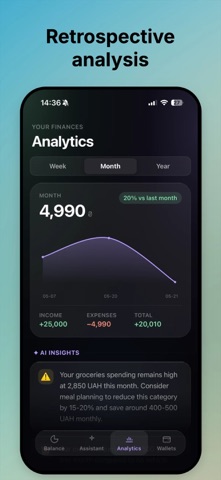
Skarb – smart finance tracker with an AI assistant that helps you control spending, plan your budget, and achieve your financial goals. All features require a Skarb Pro subscription. AI ASSISTANT Chat with your personal finance assistant. Get personalized advice, spending analysis, and answers to any financial questions — just by sending a message. RECEIPT SCANNING Take a photo of a receipt — AI automatically recognizes the amount, category, and store. Adding an expense takes 3 seconds. ACCOUNTS & ASSETS Manage all your accounts in one place: cash, cards, savings. Supports UAH, USD, EUR, PLN, CZK with automatic currency conversion. ANALYTICS & CHARTS Detailed statistics by category, balance trends, month-over-month comparisons. Finally understand where your money is going. RECURRING PAYMENTS Add subscriptions and regular expenses — Skarb will remind you when it's time to pay. CATEGORIES 20+ built-in categories or create your own. Automatic expense categorization. SMART NOTIFICATIONS Morning motivation and evening reminders help you stay on top of your finances. MULTI-CURRENCY Real-time exchange rates. Change your base currency — all data converts automatically. WHY SKARB? • Simple and intuitive interface • Data stored securely on the server • No ads • Regular updates and new features Your money. Your control. SKARB PRO SUBSCRIPTION Skarb Pro is a monthly or annual subscription with a 7-day free trial. • Monthly: $2.99 per month • Annual: $29.99 per year The subscription renews automatically after the trial or current period ends. You can cancel anytime in your Apple ID settings at least 24 hours before the end of the current period. Payment is charged to your Apple ID upon purchase confirmation. Privacy Policy: https://skarb.pp.ua/privacy Terms of Use: https://skarb.pp.ua/terms
Latest release
What’s New
• Fixed: keyboard no longer covers the search field on the Balance tab • Notifications: tap a message to expand and read the full text • Password reset and registration emails are now sent in your preferred language • General stability improvements
Audience growth
Ratings growth
Baseline captured. Growth appears after the crawler observes a changed rating count.
Momentum comes from crawler snapshots for the tracked storefront. “Viral growth signal” means unusually fast recent rating gains; it is an indicator, not download data.
Price tracking
Price intelligence
First snapshot captured. The trend line starts after the next crawler price observation.
- First observed Aug 1, 2026 · 1:28 PM Free
Screenshots