About this app
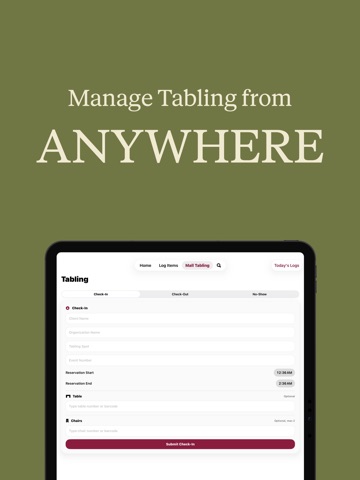
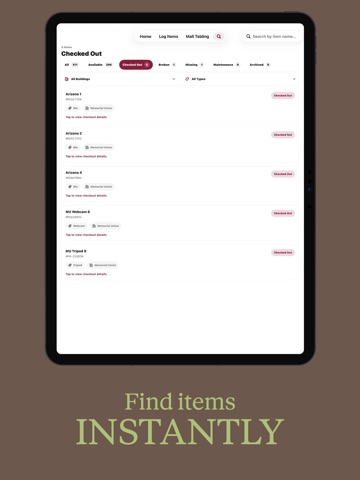
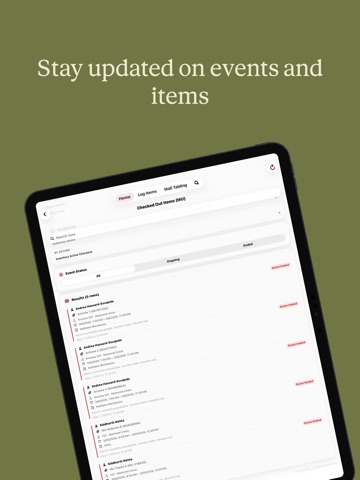
Inventory Logger App helps teams keep track of equipment, tabling items, checkouts, returns, and event-related inventory from one organized mobile system. The app is designed for day-to-day operations where items need to be logged quickly and accurately. Users can scan barcodes, look up equipment, check items in or out, report issues, and view item status without needing to search through spreadsheets or paper logs. Inventory Logger App supports equipment tracking across buildings and categories, making it easier to know what is available, what is checked out, and what may need follow-up. The app also includes tabling workflows, allowing teams to manage client check-ins, check-outs, no-shows, tables, chairs, event numbers, and reservation details. Key features include: * Barcode scanning for quick item lookup * Equipment check-in and check-out workflows * Item status tracking for available, checked-out, missing, broken, or maintenance items * Tabling check-in, check-out, and no-show logging * Event status tracking for checked-out items * Search and filter tools for finding inventory faster * Organized records for users, locations, rooms, and events Inventory Logger App is built to reduce lost equipment, improve accountability, and make inventory operations easier for teams managing shared resources.
Latest release
What’s New
Inventory Logger 10.4 introduces a rebuilt camera experience, clearer task tracking, and smoother tools for daily operations. The camera has been redesigned to open faster, feel more reliable, and make photo capture easier from the moment you start. Photos now attach more smoothly, helping teams document tasks, walkthroughs, and room needs without extra attempts. Tasks are now easier to understand at a glance, with clearer status indicators for done, pending, and overdue items. You can also filter by status to quickly focus on what still needs attention. This update also makes task completion faster with swipe actions from your to-do list, so you can mark work complete right where you are without opening extra screens. Photos are more helpful throughout the experience, including richer task notifications and faster photo viewing once images have been loaded. Building Events also received new refinements, including easier event status updates from walkthroughs, automatic event wrap-up when an event ends, and more flexibility when flagging rooms for follow-up. Inventory Logger 10.4 is designed to make everyday work feel faster, clearer, and more dependable from start to finish.
Audience growth
Ratings growth
Baseline captured. Growth appears after the crawler observes a changed rating count.
Momentum comes from crawler snapshots for the tracked storefront. “Viral growth signal” means unusually fast recent rating gains; it is an indicator, not download data.
Price tracking
Price intelligence
First snapshot captured. The trend line starts after the next crawler price observation.
- First observed Aug 23, 2026 · 1:23 PM Free
Screenshots