About this app
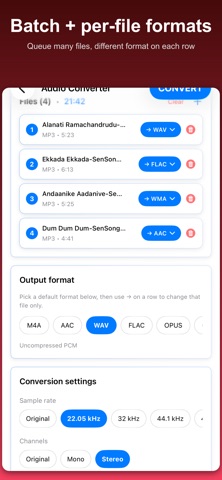
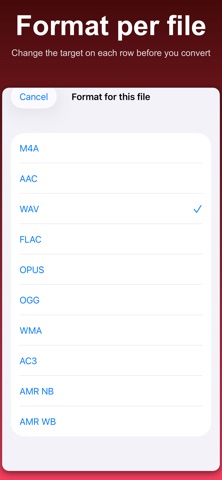
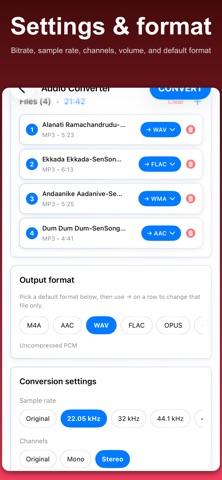
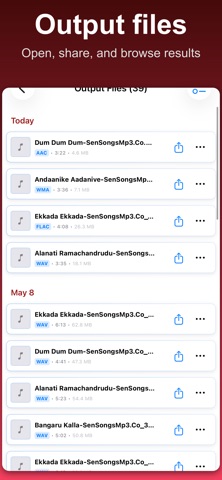
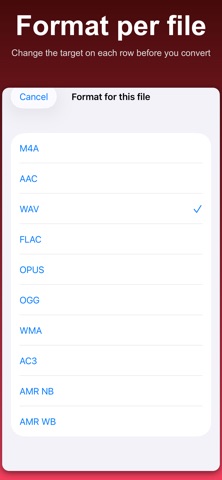
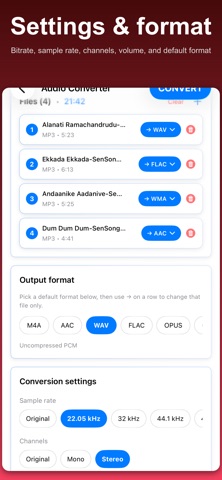
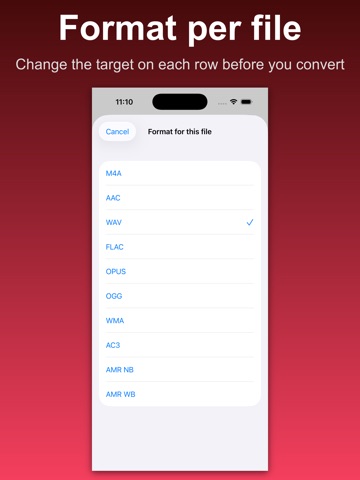
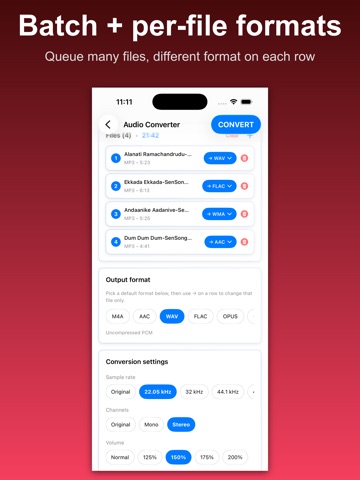
Convert audio files directly on your iPhone or iPad with fast, on-device processing. Audio Converter makes it easy to batch convert audio files from the Files app, choose different output formats, and customize export settings for supported codecs. Whether you need an MP3 for compatibility, a FLAC file for lossless quality, or a smaller AAC or Opus file to save storage space, Audio Converter gives you flexible tools for everyday audio conversion workflows without uploading files to a server. Import existing audio files, convert them offline, and share the exported files anywhere you want. Features • Batch convert multiple audio files in one queue • Select one global output format for all files • Override the output format individually per file • Import audio files directly from the Files app • Offline audio conversion with on-device processing • Share converted files after export • Built-in output list for quick access • Volume boost presets before export • Audio speed presets before export • Free version supported with ads • Premium upgrade removes ads Supported output formats • MP3 • M4A • AAC • WAV • FLAC • Opus • OGG (Vorbis) • WMA • AC3 • AMR Advanced audio settings Adjust export settings where supported by the selected codec: • Bitrate presets for MP3, AAC, M4A, Opus, OGG, WMA, and AC3 • Sample rate selection for supported codecs • Mono or stereo channel selection for supported codecs • Album artwork embedding for MP3, M4A, and FLAC exports when artwork is provided Popular conversions • WAV to MP3 Converter • M4A to MP3 Converter • FLAC to MP3 Converter • AAC to MP3 Converter • OGG to MP3 Converter • WMA to MP3 Converter • AC3 to MP3 Converter • MP3 to WAV Converter • MP3 to FLAC Converter • MP3 to AAC Converter • MP3 to M4A Converter • WAV to FLAC Converter • WAV to AAC Converter • FLAC to WAV Converter • OGG to WAV Converter • AAC to M4A Converter • WMA to AAC Converter • AC3 to WAV Converter • M4A to FLAC Converter • Opus to MP3 Converter • WAV to OGG Converter • FLAC to AAC Converter • MP3 to OGG Converter • AAC to WAV Converter More conversions are supported between MP3, WAV, M4A, AAC, FLAC, Opus, OGG, WMA, AC3, and AMR formats depending on your selected source file and export type. Designed for practical audio conversion Audio Converter is designed for people who already have audio files and want a fast, reliable way to convert them on iPhone or iPad. You can import files from the Files app, convert multiple items together, customize quality settings where supported, and export the results in the format you need. The app focuses on simple and efficient audio-to-audio conversion workflows instead of complex editing tools. Use Audio Converter to: • Create smaller audio files for sharing • Convert files for playback compatibility • Export MP3 versions of WAV, FLAC, or M4A files • Convert audio collections in batches • Adjust bitrate settings for supported codecs • Choose mono or stereo channels where available • Add album artwork to supported exports • Organize converted files in one place before sharing Not included • No YouTube or web audio downloading • No video-to-audio extraction from MP4 or camera roll videos • No multitrack music production tools • No DAW-style recording or editing system If you need video-to-audio conversion or advanced music production tools, use a dedicated app built for those workflows. Why users choose Audio Converter Audio Converter is built around privacy-conscious, offline conversion. Your files stay on your device during the conversion process, making it useful for personal recordings, music files, podcasts, voice notes, archived audio, and downloaded files you already own. The clean workflow makes it easy to import, convert, review, and share files without unnecessary steps or complicated editing screens. Terms of Use: https://www.apple.com/legal/internet-services/itunes/dev/stdeula/ Privacy Policy: https://audio-converter-app.netlify.app/
Latest release
What’s New
- Miscellaneous fixes
Audience growth
Ratings growth
Baseline captured. Growth appears after the crawler observes a changed rating count.
Momentum comes from crawler snapshots for the tracked storefront. “Viral growth signal” means unusually fast recent rating gains; it is an indicator, not download data.
Price tracking
Price intelligence
First snapshot captured. The trend line starts after the next crawler price observation.
- First observed Aug 19, 2026 · 10:18 AM Free
Screenshots