About this app
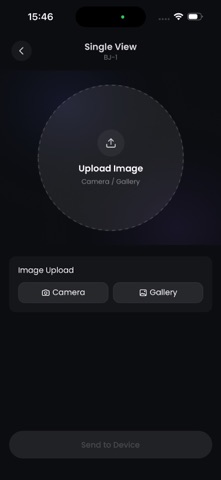
Kirahub is the companion app for compatible electronic badge devices. Connect your badge by Bluetooth, choose the content you want to show, preview it in a circular display area, and send it to your device in a few simple steps. With Kirahub, you can: • Connect and manage compatible electronic badge devices via Bluetooth • Upload a single image for display • Create a slideshow with multiple images • Select videos or GIFs and trim short clips for badge playback • Add scrolling text with custom duration, font size, text color, and background color • Preview content in a circular frame before sending it to your badge • View your local sending history • Set a local nickname and avatar for in-app display • Switch between multiple supported languages Designed for collectors, creators, anime fans, and anyone who wants to personalize a small digital display, Kirahub makes it easy to turn your badge into a tiny, expressive screen. No account is required for the current version. Your nickname, avatar, edit settings, and sending history are stored locally on your device unless otherwise stated. Clearing app data or uninstalling the app may remove local records. Please note: Kirahub requires a compatible electronic badge device. Bluetooth permission is needed to connect and send content to the device. Photo, camera, or media permissions may be requested when you choose content from your phone.
Latest release
What’s New
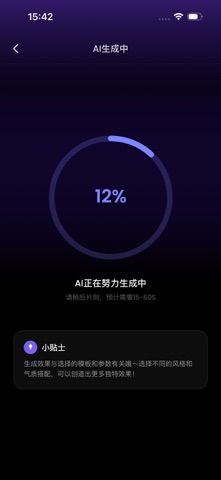
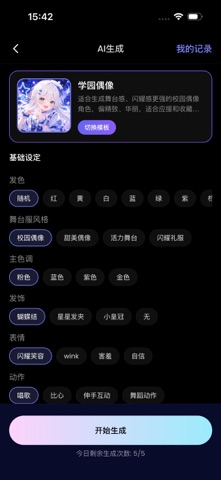
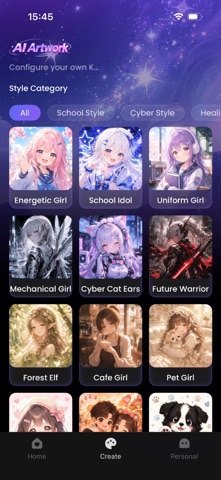
Create with AI is here! • Generate unique images from customizable creative prompts and style templates. • Explore multiple visual styles and personalize your creations. • View and manage your recent AI-generated images. • Send your creations to your connected KiraHub device via Bluetooth. We’ve also improved stability and overall performance.
Audience growth
Ratings growth
Baseline captured. Growth appears after the crawler observes a changed rating count.
Momentum comes from crawler snapshots for the tracked storefront. “Viral growth signal” means unusually fast recent rating gains; it is an indicator, not download data.
Price tracking
Price intelligence
First snapshot captured. The trend line starts after the next crawler price observation.
- First observed Aug 5, 2026 · 11:51 PM Free
Screenshots