About this app
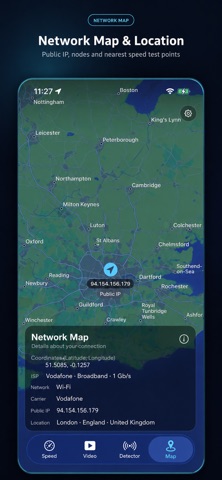
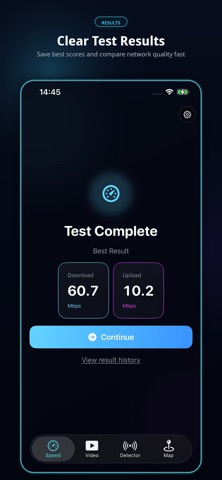
Network SpeedTest Description Use Network SpeedTest to quickly and easily test your internet connection speed. Whether you are connected to Wi-Fi, mobile data, or another network, you can check your current network quality with just one tap. Network SpeedTest helps you measure download speed, upload speed, and network latency, giving you a clear understanding of whether your connection is stable and suitable for watching videos, playing online games, making video calls, downloading files, or browsing the web. Key Features: — Test download speed; — Test upload speed; — Check network latency; — Start a speed test with one tap; — View clear results for your current network connection; — Help diagnose Wi-Fi or mobile network issues; — Check whether your internet service provider is delivering the expected speed; — Suitable for home, office, travel, and daily network testing. If you experience slow webpage loading, video buffering, game lag, slow downloads, or unstable connections, Network SpeedTest can help you quickly check your current network status and understand whether the issue may be related to your internet connection. The app is simple, easy to use, and designed for everyday speed testing and connection quality checks. Open the app anytime to understand your current network performance and get a clearer view of your real internet speed. Use Network SpeedTest to make network speed testing faster, simpler, and more intuitive. Subscription Information: Network SpeedTest offers auto-renewable subscriptions: — Weekly Subscription: $3.99 per week — Monthly Subscription: $8.99 per month — Annual Subscription: $59.99 per year Payment will be charged to your Apple ID account after confirmation of purchase. Subscriptions automatically renew unless canceled at least 24 hours before the end of the current period. You can manage or cancel your subscription anytime in your App Store account settings. Privacy Policy: https://testspeeds.xyz/p.html Terms of Use: https://testspeeds.xyz/m.html Apple Standard End User License Agreement: https://www.apple.com/legal/internet-services/itunes/dev/stdeula/
Latest release
What’s New
What's New 1.update metadata 2.fixed bug
Audience growth
Ratings growth
Baseline captured. Growth appears after the crawler observes a changed rating count.
Momentum comes from crawler snapshots for the tracked storefront. “Viral growth signal” means unusually fast recent rating gains; it is an indicator, not download data.
Price tracking
Price intelligence
First snapshot captured. The trend line starts after the next crawler price observation.
- First observed Sep 4, 2026 · 1:58 AM Free
Screenshots