About this app
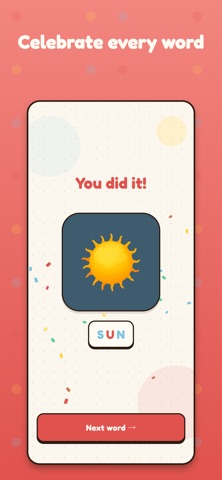
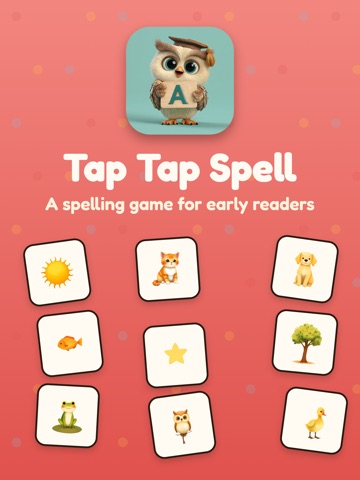
Tap Tap Spell is a gentle, joyful spelling game built for the smallest learners — preschoolers and early readers who are just starting to connect letters into words. There are no scores, no timers, and no losing. Just bright word art, a friendly owl mascot who cheers every success, and the quiet satisfaction of tapping a word into place, letter by letter. WHO IT'S FOR Tap Tap Spell is designed for kids aged 3 to 6 who are learning to recognize letters and spell their first words. It's also a wonderful tool for parents, grandparents, and teachers who want a calm, screen-friendly activity that actually teaches something. HOW IT WORKS Each round shows a colorful illustration — a sun, a cat, a star, a frog — alongside its letters scrambled into a row of taps. Children tap the letters in order to spell the word. Tap a wrong one and nothing bad happens; the letter just won't lock in. Tap the right one and it slides into place with a soft pop. Spell the whole word and the owl celebrates with confetti. That's it. No menus to fight through, no in-app purchases interrupting the flow, no ads pulling attention away. Just spelling. WORD LEVELS Words are grouped into gentle difficulty levels. Level 0 starts with the shortest, most familiar three-letter words: SUN, CAT, DOG, OWL. Level 1 introduces four- and five-letter favorites like FISH, STAR, TREE, FROG, DUCK. Each word comes with its own original illustration so kids learn to read by association — not by drilling flashcards. A GALLERY OF EVERY WORD After each win, the word is added to a personal gallery. Kids love revisiting their collection — flipping through the images, tapping each one to hear and spell it again. The gallery doubles as a quiet reading exercise: every illustration is a chance to recognize a word they've already conquered. PARENT-FRIENDLY DESIGN - No ads, ever. - No in-app purchases. - No accounts or logins. - No data collection. - Works completely offline. - Locked to portrait mode so the device stays put on a lap or table. Settings let parents adjust sound, restart progress, or pick a starting level — and that's it. The game is designed to be handed to a child without any oversight required. THOUGHTFUL TOUCHES - A cheerful owl mascot guides every screen. - Bright, hand-illustrated word art (no stock images, no AI cliches). - Calm color palette that's easy on small eyes. - Tap targets sized for small fingers. - Gentle audio that never startles. WHY WE BUILT IT We wanted a spelling app that felt like a picture book — slow, warm, and honest. Most learning apps for kids are stuffed with flashing rewards and locked content trying to keep them on the screen. Tap Tap Spell does the opposite: it teaches one small thing well, and trusts kids to come back when they want to. If your little one is ready to start spelling — or if you just want a quiet, screen-time-justifying activity for the next car ride — we'd love for you to give Tap Tap Spell a try. Happy spelling!
Latest release
What’s New
We've added lots of new words and a voice over for hard to guess words.
Audience growth
Ratings growth
Baseline captured. Growth appears after the crawler observes a changed rating count.
Momentum comes from crawler snapshots for the tracked storefront. “Viral growth signal” means unusually fast recent rating gains; it is an indicator, not download data.
Price tracking
Price intelligence
First snapshot captured. The trend line starts after the next crawler price observation.
- First observed Aug 18, 2026 · 10:09 PM Free
Screenshots