About this app
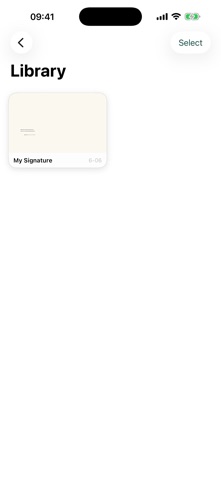
Signature is the cleanest way to create, store, and share your personal signatures on iPhone. Draw with a smooth, pressure-sensitive canvas that faithfully reproduces the feel of pen on paper. Choose from three distinct nib styles — Fountain, Ballpoint, and Marker — each with its own ink character, taper, and opacity. Pick your ink color from a curated palette including black, navy, crimson, and forest green, or dial in any custom color you like. Set the canvas background to suit your purpose: transparent for clean overlays, white for a crisp document look, lined for a writing-guide feel, or warm parchment for a classic stationery aesthetic. Every signature you save goes into your personal library, displayed as paper-card thumbnails so you can recognize each one at a glance. Tap any card to view the full detail, rename it, or delete it. Batch-select multiple signatures in edit mode for quick management. When you're ready to use a signature, share it as a PNG image, export it as a PDF, or send it straight to your Photos library — all from a single tap. Key features: - Three pen styles: Fountain, Ballpoint, Marker - Ink colors: Black, Navy, Crimson, Forest Green, Custom - Canvas backgrounds: Transparent, White, Lined, Parchment - Stroke width control with smooth velocity-based tapering - Save unlimited signatures to your personal library - Rename and delete with undo confirmation - Export as PNG, PDF, or save to Photos - Undo last stroke while drawing - Clean, distraction-free interface with Dark Mode support
Audience growth
Ratings growth
Baseline captured. Growth appears after the crawler observes a changed rating count.
Momentum comes from crawler snapshots for the tracked storefront. “Viral growth signal” means unusually fast recent rating gains; it is an indicator, not download data.
Price tracking
Price intelligence
First snapshot captured. The trend line starts after the next crawler price observation.
- First observed Aug 17, 2026 · 8:19 PM Free
Screenshots