About this app
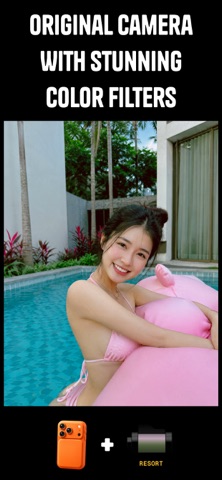
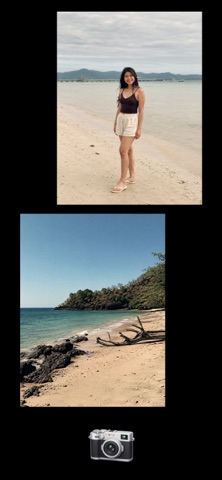
Turn your iPhone into a collection of unique cameras. Rumi Cam is a photo and video camera app designed to make taking beautiful pictures simple, fast, and fun. Instead of taking photos and editing them later, choose your camera style before you shoot and capture the moment exactly how you want it. Pick a camera, choose a film roll, add a lens accessory, and start shooting. CAMERA COLLECTION Explore different cameras, each with its own look, colors, personality, and feeling. ORIGINAL CAMERA Use your iPhone camera with beautiful film inspired filters and color styles. Perfect when you want a clean photo with your favorite aesthetic. FILM AND ANALOG CAMERAS Create nostalgic photos inspired by classic film photography. Try different film rolls, vintage colors, analog looks, retro filters, grain effects, and timeless photography styles. OLD PHONE CAMERAS Bring back the nostalgic feeling of early mobile photography. Capture photos inspired by old phone cameras, with unique colors, imperfections, and a retro digital aesthetic. DIGITAL CAMERAS Rediscover the look of compact digital cameras from the 2000s. Create Y2K style photos with the iconic point and shoot digital camera vibe. DISPOSABLE CAMERAS Get the simple and spontaneous feeling of a disposable camera. Capture imperfect moments with nostalgic colors and vintage character. ARTISTIC CAMERAS Experiment with creative cameras, dreamy effects, unique filters, artistic looks, and original photography styles. REAL TIME CAMERA FILTERS Stop editing every photo afterwards. With Rumi Cam, every effect is applied directly in the camera preview, so you can see your final photo before you capture it. No guessing. No endless editing. Just choose your look and shoot. FILM ROLLS AND COLOR STYLES Change the feeling of your camera instantly with different film rolls and photo effects. Explore: * Vintage film filters * Analog colors * Retro photo effects * Cinematic looks * Creative presets * Unique color styles CAMERA ACCESSORIES Customize your shots with creative lens accessories. Current accessories include: * Fisheye lens * Prism lens Transform your camera and discover new perspectives. MANUAL CAMERA CONTROLS Take more control over your photos with: * Exposure adjustment * White balance control * Aspect ratio selection A CAMERA THAT FEELS LIKE A REAL CAMERA Modern smartphone photos can sometimes feel too processed and perfect. Rumi Cam is designed to create photos with more character. Images that feel natural, nostalgic, and personal. The goal is not only perfect pixels. The goal is photos with a vibe. PHOTO AND VIDEO Capture both photos and videos using your favorite cameras, filters, effects, lenses, and creative styles. MORE COMING SOON Rumi Cam will continue growing with: * New cameras * New film rolls * New filters * New lens accessories * New creative tools Find the perfect camera for every moment. Download Rumi Cam and start shooting. Terms of Use: https://www.apple.com/legal/internet-services/itunes/dev/stdeula
Latest release
What’s New
Added new camera QT200
Audience growth
Ratings growth
Baseline captured. Growth appears after the crawler observes a changed rating count.
Momentum comes from crawler snapshots for the tracked storefront. “Viral growth signal” means unusually fast recent rating gains; it is an indicator, not download data.
Price tracking
Price intelligence
First snapshot captured. The trend line starts after the next crawler price observation.
- First observed Sep 4, 2026 · 6:13 AM Free
Screenshots