About this app
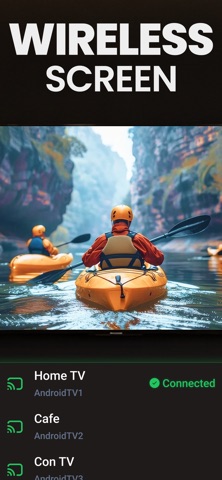
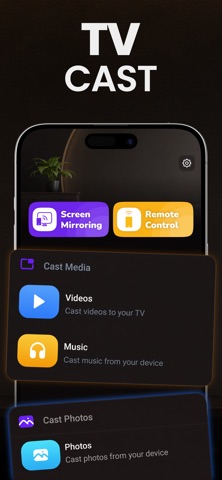
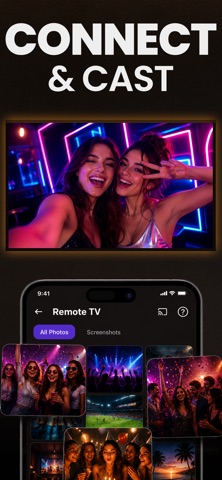
Mirror App lets you share supported content from your iPhone or iPad with compatible Smart TVs and streaming devices connected to the same Wi-Fi network. Use the app to mirror your screen, cast your own photos and videos, display slides and documents, browse supported web content, and control supported TVs. HOW IT WORKS Connect your iPhone or iPad and your TV or streaming device to the same Wi-Fi network. Open the app, allow Local Network access when requested, and select a compatible device from the detected list. FEATURES SCREEN MIRRORING Share your device screen with a compatible TV or streaming device. Screen mirroring is available with Premium. Availability and performance depend on the receiving device, network, and supported connection method. VIDEO AND PHOTO CASTING Select photos and videos from your own library and cast supported media to a compatible device. PHOTO SLIDESHOW Display selected photos from your library on a larger screen. PHONE AS REMOTE Use your iPhone or iPad as a remote for supported TVs. Available controls may include playback, volume, and navigation depending on the TV model and supported connection method. WEB CASTING Open web pages inside the app and cast supported web content to a compatible device. The app does not download protected media or bypass DRM or other content-protection systems. COMPATIBILITY A compatible Smart TV, display, or streaming device is required. Both devices must be connected to the same Wi-Fi network. Feature availability varies by device model, network conditions, content type, and supported connection method. FREE & PREMIUM Free features include photo, video, music, and web casting. Premium unlocks Screen Mirroring and Remote Control. SUBSCRIPTION Premium is available through auto-renewing weekly, monthly, or annual subscriptions. Payment is charged to your Apple Account at confirmation of purchase. Subscriptions renew automatically unless cancelled at least 24 hours before the end of the current period. You can manage or cancel your subscription in your Apple Account settings. IMPORTANT INFORMATION Protected or DRM-restricted content may not be available for screen mirroring or casting. Mirror App does not bypass content-protection systems. PERMISSIONS Local Network access is used to discover and connect to compatible devices on your Wi-Fi network. Photos and Files access is used when you choose media or files to cast. Microphone access may be used to include microphone audio during a supported screen broadcast. You can decline microphone access and continue using other supported casting features. Privacy Policy: https://www.markconapps.com/privacy-policy.php Terms of Use: https://www.markconapps.com/terms-conditions.php
Latest release
What’s New
Bug Fixes
Audience growth
Ratings growth
Baseline captured. Growth appears after the crawler observes a changed rating count.
Momentum comes from crawler snapshots for the tracked storefront. “Viral growth signal” means unusually fast recent rating gains; it is an indicator, not download data.
Price tracking
Price intelligence
First snapshot captured. The trend line starts after the next crawler price observation.
- First observed Aug 22, 2026 · 10:05 AM Free
Screenshots