About this app
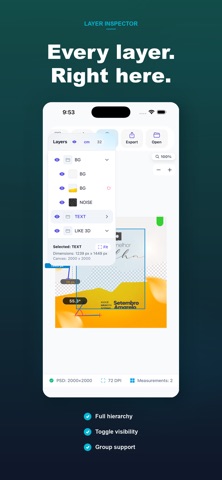
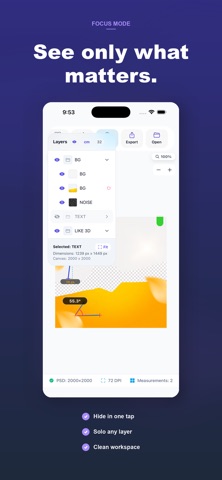
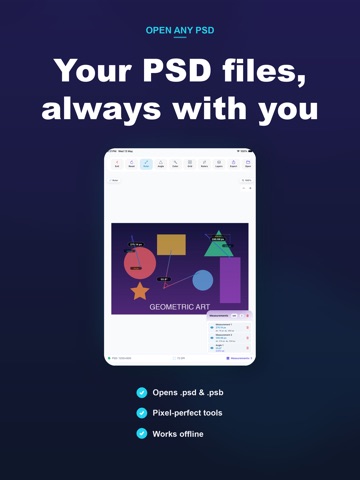
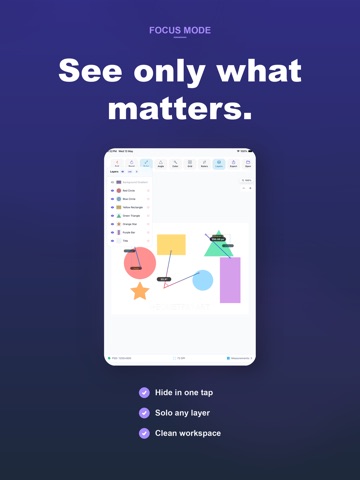
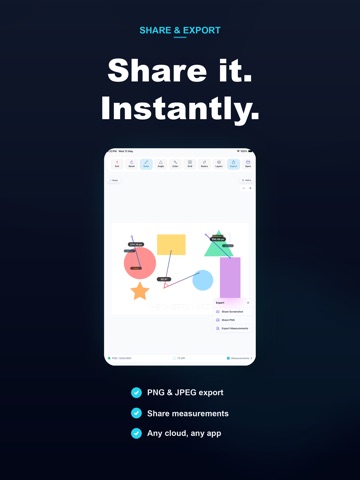
Open and inspect Adobe Photoshop (.psd) and large document (.psb) files directly on your iPhone or iPad — no desktop required. PSD Viewer renders each layer of your file using high-performance Skia graphics, so you see your artwork exactly as it was saved in Photoshop. KEY FEATURES • Open PSD & PSB files — tap any .psd or .psb file in Mail, Files, or any app and open it instantly • Layer panel — browse every layer in your document, toggle visibility, and tap to inspect • Precision measurement tools — ruler, angle, and bounding box tools for pixel-accurate dimensions • Color inspector — sample any pixel and get HEX, RGB, and HSB values • Zoom & pan — smooth pinch-to-zoom and pan across large canvases • Pen tool — annotate and mark up your designs on-screen • Unit switcher — work in px, mm, cm, or inches • Dark & light mode — designed for both PERFECT FOR Designers reviewing work on the go, developers inspecting layer structure, print shops checking files, and anyone who receives PSD files and needs to open them without Photoshop. SUBSCRIPTION PSD Viewer offers a free trial. Unlock all tools with a Pro subscription. Payment is charged to your Apple ID account at confirmation of purchase. Subscriptions automatically renew unless auto-renew is turned off at least 24 hours before the end of the current period. You can manage your subscription and turn off auto-renewal in your Account Settings after purchase. Privacy Policy and Terms of Use are available in the app settings.
Latest release
What’s New
• Export layers as PNG — export single layers, groups, or batch-select multiple layers and share them via the system share sheet • Layer search & filter — quickly find layers with the new fuzzy search bar and filter chips • Color inspector improvements — CMYK values, ICC profile display, delta-E color comparison, and a color palette to save and export swatches • Document info panel — view pixel dimensions, physical dimensions, resolution, color mode, profile, bit depth, layer count, and file size • Status bar now shows file name and zoom percentage • Tap any color or measurement value to copy it with animated feedback • Copy measurements to clipboard as CSV • Smoother zoom and pan with refined animations • Improved layer group visibility and selection synchronization
Audience growth
Ratings growth
Baseline captured. Growth appears after the crawler observes a changed rating count.
Momentum comes from crawler snapshots for the tracked storefront. “Viral growth signal” means unusually fast recent rating gains; it is an indicator, not download data.
Price tracking
Price intelligence
First snapshot captured. The trend line starts after the next crawler price observation.
- First observed Aug 10, 2026 · 8:28 AM Free
Screenshots