About this app
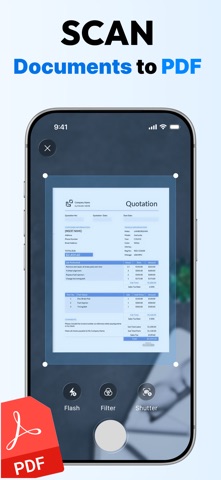
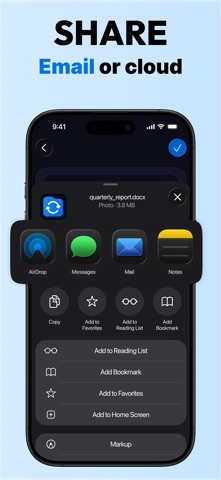
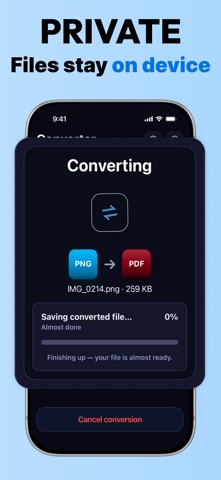
Get the file in the format you actually need — photos into one PDF, a PDF into a Word file you can work with, HEIC into JPG — right on your iPhone. No desktop app, no sign-up. TURN PHOTOS INTO ONE PDF Pick up to 100 photos and get a single PDF. Put the pages in the order you want, drop the ones you don't, and send one file instead of twenty. Receipts, homework, notes, whiteboards, screenshots — one document, ready to share. FROM PDF • PDF to Word (DOCX) • PDF to Excel (XLSX) • PDF to PowerPoint (PPTX) • PDF to JPG or PNG • PDF to TXT INTO PDF • JPG, PNG, HEIC, WEBP, AVIF, TIFF, BMP, GIF • Word, Excel, PowerPoint • Pages, Numbers, Keynote • SVG, PSD, AI, EPS IMAGE TO IMAGE JPG and PNG both ways, HEIC to JPG, WEBP to PNG, plus AVIF, TIFF, BMP and GIF. Most image conversions run right on your device: they take seconds, and the picture never leaves your iPhone. EVERYTHING ELSE Ebooks (EPUB, MOBI, FB2) and audio, video and archive formats too — 205 formats and 2,084 conversion pairs in all, with the 23 most-used conversions one tap from the home screen. BUILT TO BE QUICK • Pick a file, pick the format you want, done — no menus to dig through • Live progress while it runs • Save to Files, AirDrop, share to any app, or open the result right away • History keeps every result, so you can open it or send it again later • Up to 500 MB per file, up to 100 photos per PDF • No account to create WHERE YOUR FILES GO Image conversions are handled locally on your device whenever the format allows it. Documents and specialty formats are converted on our servers, and your file is used only to produce your result. SUBSCRIPTION A paid subscription is required to run a conversion — there is no free conversion tier. You can install the app and see every format it supports before you subscribe. • Subscription options, lengths and prices are shown in the app before any purchase is confirmed. • Payment is charged to your Apple ID at confirmation of purchase. • The subscription renews automatically unless auto-renew is turned off at least 24 hours before the end of the current period. Your account is charged for renewal within 24 hours of the end of the current period. • You can manage your subscription and turn off auto-renew in Settings > your name > Subscriptions. Terms of Use (EULA): https://www.apple.com/legal/internet-services/itunes/dev/stdeula/ Questions, or a format you'd like us to add? Write to us from inside the app — we read every message.
Latest release
What’s New
• Selecting many photos at once no longer fails if one of them can't be loaded — the rest convert as usual • Stability improvements and bug fixes
Audience growth
Ratings growth
Baseline captured. Growth appears after the crawler observes a changed rating count.
Momentum comes from crawler snapshots for the tracked storefront. “Viral growth signal” means unusually fast recent rating gains; it is an indicator, not download data.
Price tracking
Price intelligence
First snapshot captured. The trend line starts after the next crawler price observation.
- First observed Sep 4, 2026 · 6:13 AM Free
Screenshots