About this app
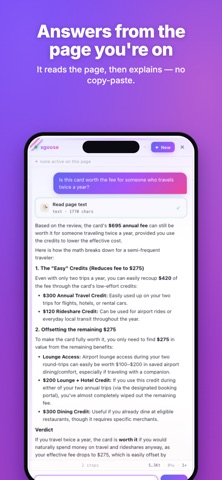
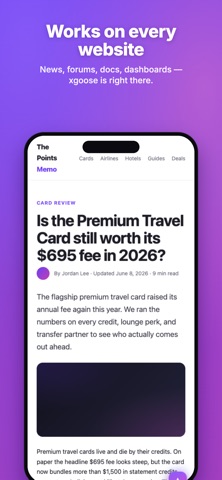
Meet xgoose - a floating AI assistant that lives right inside Safari. Tap the launcher button on any page and a chat panel slides up, ready to read the page, answer questions, and get things done. It runs in an isolated shadow DOM, so it never breaks the site you're on. Most "AI in your browser" extensions just paste a chat box on top of the web. xgoose actually understands the page you're on, and on supported sites it loads purpose-built skills that let the AI use clean, first-party tools instead of blindly scraping HTML. FREE AI, BUILT IN Start chatting in seconds - no API key, no credit card. Every signed-in account gets a free daily balance on the built-in xgoose AI. Prefer your own model? Switch to it anytime (see "Bring your own model" below). AN AI THAT KNOWS THE PAGE - Ask anything about the page you're reading and get a straight answer - Summarize long articles, threads, and YouTube or Bilibili videos - Pull structured data out of tables and search results - Declutter busy forums by hiding ads and chat boxes so you can read - Fill repetitive forms from a short prompt SITE-SMART SKILLS When you open a supported site, the matching skill auto-activates and gives the AI safe, typed helper functions, so it calls real APIs, not guesswork: - Search USCardForum and any Discourse forum, paginated - Scan American Airlines award calendars across cabins and months - Check Hyatt award availability across a date range - Summarize USCreditCardGuide reviews, bonuses, and offers - Add your own: drop a SKILL.md and skill file into the open-source project BRING YOUR OWN MODEL (OPTIONAL) Power users can plug in any model they like: - Google Gemini (native) - Any OpenAI-compatible endpoint: OpenAI, Together, Azure OpenAI, Ollama - Gemini or anything else via a LiteLLM proxy PRIVATE BY DESIGN - Your API keys, chat history, and per-site memory stay on your device - No tracking, no analytics, no ad SDKs - Open source, so you can inspect exactly what it does - Per-site memory the AI can reuse, scoped to each origin ONE APP, EVERY DEVICE xgoose works on iPhone, iPad, and Mac from a single sign-in. Your settings and skills follow you across Safari on all three. Enable on iPhone and iPad 1. Settings > Apps > Safari > Extensions > turn on xgoose 2. Tap xgoose, then set All Websites to Allow 3. Open any page, tap the launcher in the bottom-right, and start chatting Enable on Mac 1. Safari > Settings > Extensions > turn on xgoose 2. Allow it on Every Website 3. Click the launcher on any page and ask away Open source, no lock-in, and built for people who actually live in their browser. Add xgoose to Safari and put an AI on every page.
Latest release
What’s New
• Faster default model and a smoother first-run guide showing how to use xgoose across your favorite sites. • Install skills in one click and run skill actions right from the chat. • Conversations now resume automatically after you switch apps. • Keyboard and layout fixes.
Audience growth
Ratings growth
Baseline captured. Growth appears after the crawler observes a changed rating count.
Momentum comes from crawler snapshots for the tracked storefront. “Viral growth signal” means unusually fast recent rating gains; it is an indicator, not download data.
Price tracking
Price intelligence
First snapshot captured. The trend line starts after the next crawler price observation.
- First observed Aug 9, 2026 · 12:09 AM Free
Screenshots