About this app
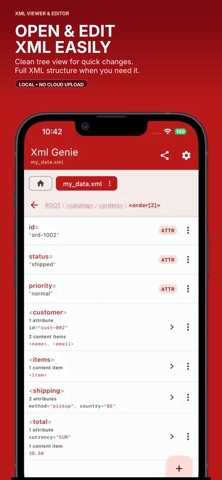
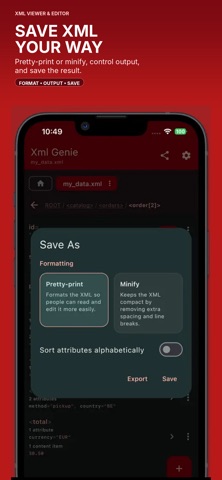
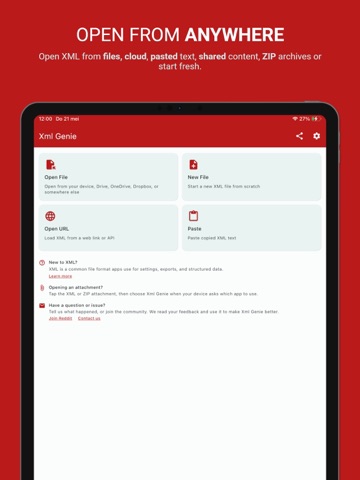
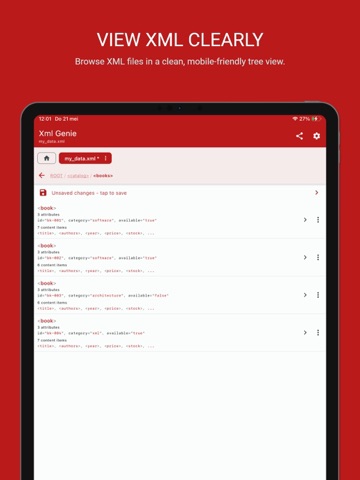
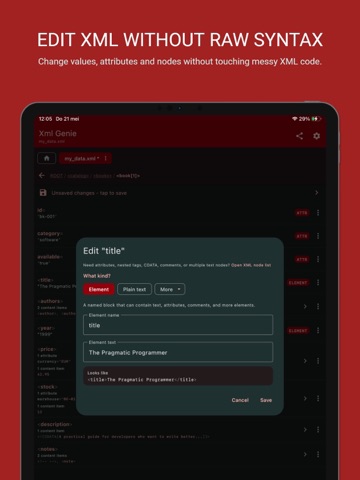
Xml Genie is a fast and easy XML viewer and editor for iPhone and iPad. Open XML files, browse them in a clean mobile-friendly structure, and make changes without having to work directly inside raw XML text. Xml Genie is built for regular users who just want to edit values quickly, and for technical users who need access to the full XML structure. No account. No cloud upload. Your XML stays on your device. Xml Genie opens and edits XML locally. Your files are not uploaded to our servers just to view, find, edit or format them. View XML clearly Xml Genie turns XML into a structured node list that is easy to read and navigate on iPhone and iPad. Instead of scrolling through raw tags, you can browse elements, text values, attributes, comments, CDATA and other XML parts in a clean layout. Breadcrumb navigation shows exactly where you are in the document, and repeated elements are shown clearly, such as book[2], so complex files stay understandable. Edit XML without raw syntax Update XML without manually fixing tags and brackets. Xml Genie lets you: Edit element text Edit attributes Edit CDATA Edit comments Edit processing instructions Add new elements Add text values Add attributes Add comments Add CDATA Add processing instructions Duplicate XML nodes Delete XML nodes Reorder XML nodes Adding items inside the root element and other simple elements is easier, so common edits take fewer steps. Undo, redo and review changes Edit with more confidence using undo and redo. Xml Genie also includes change history, so you can review edits and jump back to an earlier version when needed. This is especially useful when changing larger or more complex XML files. Open XML from different sources Xml Genie can open XML from: Files on your device Pasted text Shared content from other apps ZIP files containing XML Whether you receive XML through another app, copy it from somewhere, or keep it in local files, Xml Genie helps you open and inspect it quickly. Find and navigate faster Find XML content and jump directly to matching nodes. This helps when working with large or deeply nested XML files where manually finding a value would take too much time. Work with multiple XML files Xml Genie supports a multi-tab workflow, so you can keep multiple XML documents open and switch between them easily. Paste history helps you reuse copied XML nodes, making it easier to repeat edits or move parts of your XML structure around. Format, save and export Xml Genie supports both pretty print and compact XML output. You can control XML settings such as: XML version Encoding Standalone value Formatting Byte order mark When you are done, you can save, Save As, share or export your XML file. Helpful XML support Xml Genie includes simple help, a sample XML file and a way to contact support if you have a question or issue. The document info screen shows file details and XML support notes. Xml Genie supports internal DTD entity references, such as custom entities declared inside the XML. For unsupported external DTD or entity features, the app shows safety warnings instead of silently hiding them. Customize the app Choose from color presets and use dark mode, light mode or your system theme. Xml Genie is designed to feel comfortable for longer editing sessions. Free and Premium Xml Genie is free to use. Premium is available as a one-time upgrade for users who want to remove ads and unlock extra functionality. No subscription. Why Xml Genie? Clean XML viewer Easy XML editor Mobile-friendly XML structure Local XML editing No account required No cloud upload needed Edit XML without raw syntax Undo, redo and change history Find XML content Work with multiple XML files Open XML from files, text, shared content and ZIP archives Format, save, share and export XML Xml Genie makes XML easier to view, edit and understand on iPhone and iPad.
Latest release
What’s New
Xml Genie 1.2.0 focuses on reliability: - Updated the technology behind the app for better compatibility and performance. - Resolved crashes and other reported issues for a smoother, more stable experience.
Audience growth
Ratings growth
Baseline captured. Growth appears after the crawler observes a changed rating count.
Momentum comes from crawler snapshots for the tracked storefront. “Viral growth signal” means unusually fast recent rating gains; it is an indicator, not download data.
Price tracking
Price intelligence
First snapshot captured. The trend line starts after the next crawler price observation.
- First observed Aug 21, 2026 · 12:05 AM Free
Screenshots