About this app
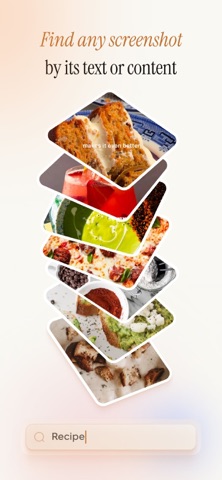
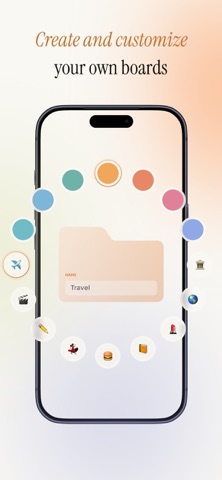
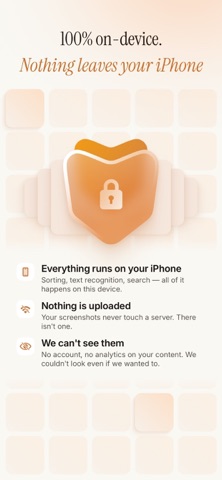
Ever taken a screenshot you swore you'd come back to — then never found it again? Thousands of them, piling up in your camera roll, eating storage, impossible to search. Stash fixes that. The easiest way to organize your screenshots — automatically, or with a swipe. Stash's on-device AI files every screenshot the moment you take it. Prefer to sort by hand? Just swipe — keep, file, or delete in one thumb. Either way, everything groups into boards you can search by the words inside and reach in a tap. No tagging. No folders to build. No cloud. SORT IT YOUR WAY • Automatic AI sorting — the instant you capture a screenshot, it lands in the right smart category: Recipes, Receipts, Travel, Outfits, Products, Places, Social, Memes, Tickets, QR Codes, Health, Workouts, Tutorials, Articles, Books, Movies, and more • Super-easy swipe sorting — clear your whole backlog one thumb at a time: keep, file, or delete in a single swipe, with undo on everything • Group into boards — drop anything into your own boards and sub-boards alongside the smart ones: "Lisbon trip," "Gift ideas," "Reading list" FIND ANYTHING IN SECONDS • Search the words inside your screenshots — remember a name, a phrase, a price? Type it and find the shot in seconds • Filter by what's inside — links, addresses, phone numbers, prices • Everything one tap away — smart categories and your own boards, together in one tidy library PRIVATE BY DESIGN Everything — sorting, reading text, search — runs locally on your iPhone. Your screenshots never leave your device. • No servers, no cloud analysis, ever • No account, no sign-in, no tracking • Works completely offline • Stash references your Photos library — it never copies your screenshots FREE TO START Organize and search your library for free. Go Pro for unlimited sorting, unlimited daily triage, full text search, and unlimited boards — monthly or yearly with a 14-day free trial, or a one-time Lifetime purchase. Stop scrolling for that one screenshot. Let Stash find it. Organise and search your library for free. Upgrade to Pro for unlimited classification, unlimited daily triage, full text search, and unlimited boards — as a monthly or yearly plan (with a 14-day free trial), or a one-time Lifetime purchase. — Payment will be charged to your Apple ID account at confirmation of purchase. Subscription auto-renews unless cancelled at least 24 hours before the end of the current period, and your account will be charged for renewal within 24 hours prior to the end of the current period. Manage or cancel anytime in iOS Settings → Apple ID → Subscriptions. Any unused portion of a free trial is forfeited when you purchase a subscription. Terms of Use: https://stash-screenshot-organizer.web.app/terms Privacy Policy: https://stash-screenshot-organizer.web.app/privacy Questions? Email contact@definesolutions.co — a human replies within 1–2 business days.
Latest release
What’s New
Bug fixes and performance improvements — especially a crash that could happen during automatic sorting.
Audience growth
Ratings growth
Baseline captured. Growth appears after the crawler observes a changed rating count.
Momentum comes from crawler snapshots for the tracked storefront. “Viral growth signal” means unusually fast recent rating gains; it is an indicator, not download data.
Price tracking
Price intelligence
First snapshot captured. The trend line starts after the next crawler price observation.
- First observed Aug 15, 2026 · 2:27 AM Free
Screenshots