About this app
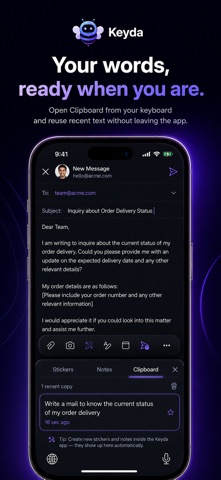
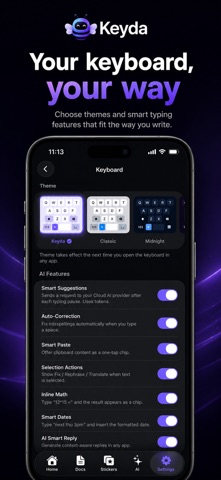
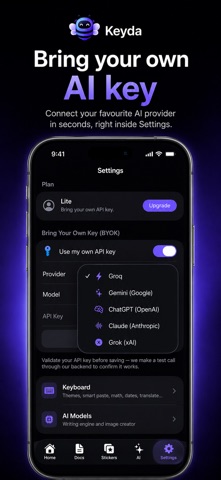
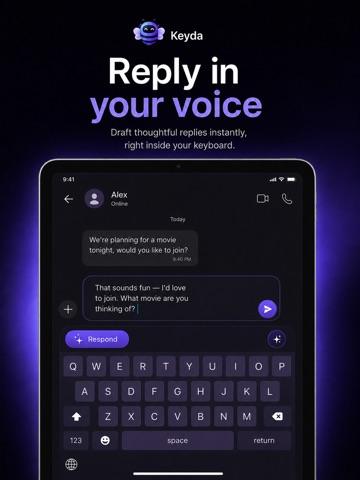
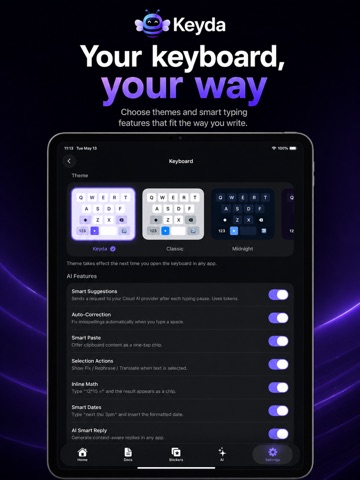
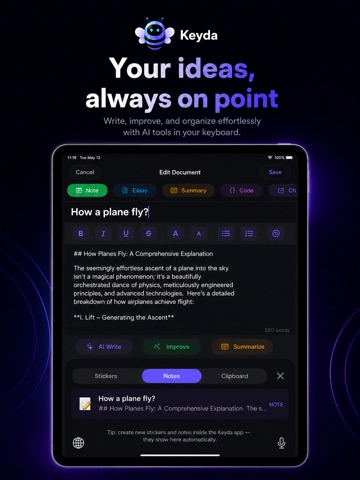
Keyda — The AI Keyboard That Thinks With You Write smarter, talk to type, and stay productive without leaving the app you're using. Keyda is an AI-powered keyboard that works everywhere you type on your iPhone and iPad. Whether you're chatting on WhatsApp, replying to emails, posting on social media, taking notes, or filling out forms, Keyda brings powerful AI — and now your voice — directly into your keyboard, in every app. Most AI tools force you to leave your app: open a chatbot, copy and paste, generate a response, switch back. That constant switching breaks your flow and wastes time. Keyda eliminates it. Without Keyda, fixing one sentence can take seven steps and nearly a minute. With Keyda, it takes three — and you never leave the app you're in. Rewrite text, fix grammar, generate content, summarize, translate, brainstorm, and craft professional replies instantly. Your AI assistant is always one tap away, no matter where you type. TALK TO TYPE — VOICE TYPING & VOICE ASSISTANT Tap the mic and just speak — Keyda types it for you. It's a full voice assistant, not just dictation: • Speak to type in any app • Change keyboard settings by voice — "switch to dark mode," "turn off haptics" • Pull up a saved note — "paste my meeting notes" • Create reminders and notes hands-free • Ask the AI out loud — "write a polite reply declining this invite" Smart self-correction means "my age is 29, oh sorry, 30" becomes "30." Dictation is free — no subscription required. SMART ASSIST AI Instantly rewrite for clarity, fix grammar and spelling, adjust tone from casual to professional, generate emails and messages, summarize long content, and expand short notes into complete drafts — for work, school, or personal chats. A PRODUCTIVITY WORKSPACE IN YOUR KEYBOARD • Notes — save ideas, prompts, and reminders right inside the keyboard • Clipboard History — recently copied text, links, and snippets, one tap away • Translate on Paste — convert content before you send it • Inline Math & Dates — calculate and convert without another app • Conversation Memory — context carries forward so you never re-explain yourself • Reply in Your Voice — AI suggestions that sound like you, not a template PRIVATE BY DESIGN Sensitive features are built to minimize what leaves your device. Voice input is only active while you're actively recording, transcribed by Apple's Speech Recognition, and never stored by us. Stickers can be generated with a fully offline, on-device AI model (Lite/Pro, one-time download) for complete privacy — or instantly via Cloud AI if you'd rather skip the download. Sign out and every note, clipboard entry, API key, and AI memory is wiped from the device immediately. MADE YOURS Nine handcrafted themes — Classic, Midnight, Aurora, Coral, Forest, Ocean, Sunset, Rose, and Carbon — sync across the whole app the moment you switch. No matter how many smart features run in the background, typing stays fast, smooth, and responsive. Whether you're a student, professional, creator, freelancer, or business owner, Keyda cuts repetitive work and saves time every day — better emails, faster replies, instant translation, on-demand stickers, organized notes, and accessible clipboard history. No app switching. No endless copy-pasting. No interruptions. Just a smarter keyboard that works — and listens — everywhere you type. Made in India. Built for everyone.
Latest release
What’s New
To make Keyda work better for you, we deliver updates regularly. These updates include bug fixes and improvements for speed and reliability.
Audience growth
Ratings growth
Baseline captured. Growth appears after the crawler observes a changed rating count.
Momentum comes from crawler snapshots for the tracked storefront. “Viral growth signal” means unusually fast recent rating gains; it is an indicator, not download data.
Price tracking
Price intelligence
First snapshot captured. The trend line starts after the next crawler price observation.
- First observed Aug 19, 2026 · 5:46 AM Free
Screenshots