About this app
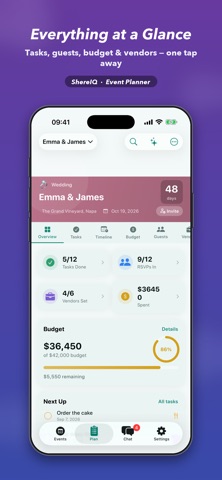
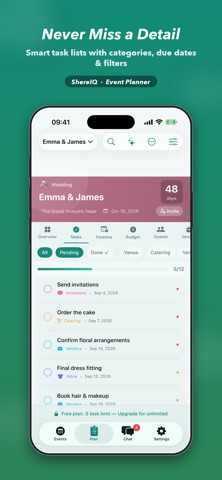
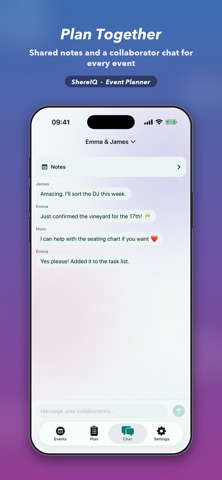
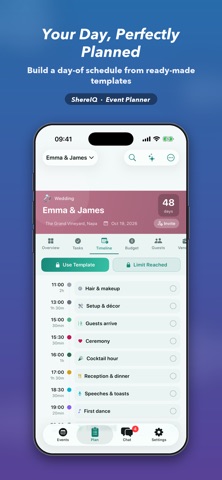
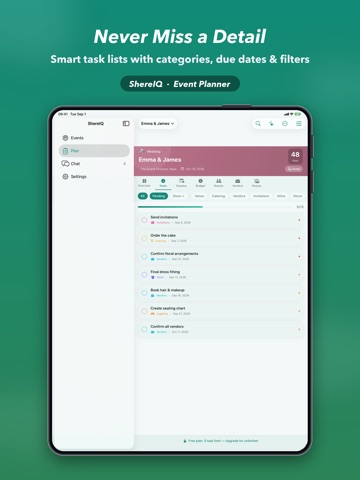
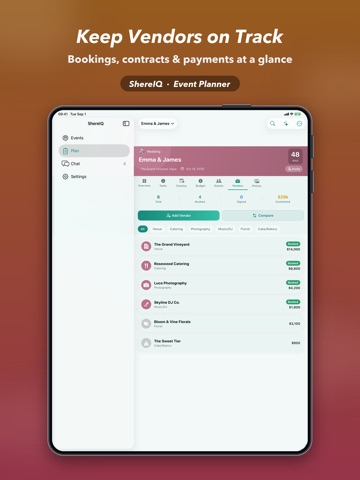
ShereIQ is your all-in-one event planner for weddings, birthdays, showers, holidays, and every celebration in between. Plan it yourself or invite others to plan alongside you, and keep every detail in one calm, beautiful place. PLAN EVERY DETAIL • Smart task lists with categories, due dates, priorities and filters • Budget tracking with itemised estimates vs. actuals, so you always know where you stand • Guest management — RSVPs, meal choices, plus-ones and notes • Visual seating chart — drag and drop guests around round tables with real seat counts • Vendor tracking — bookings, contracts, payments and side-by-side comparisons • Day-of timeline you can build from ready-made templates in seconds PLAN TOGETHER Share an event and plan as a team. Collaborators see the same tasks, guests and budget, plus a shared notes space and a group chat for every event — synced through iCloud. EVERYTHING IN ITS PLACE • Events tab — every celebration at a glance, with live progress • Plan tab — deep planning for the active event, with an event switcher and search • Chat tab — shared notes and a collaborator thread • Reminders that keep you on track, with an app badge for what's due • Beautiful themes and a home that adapts to light and dark OPTIONAL AI ASSISTANT Meet Amani, an optional AI planning assistant. Bring your own Claude API key to get tailored advice, draft timelines and budget ideas. Everything in ShereIQ works fully without it — AI is a bonus, never a requirement. FREE & PLUS ShereIQ is free to try: create 1 event with up to 2 of each item (tasks, guests, vendors, budget items, timeline items). Upgrade to ShereIQ Plus for: • Unlimited events and unlimited items of every kind • Exclusive Aurora & Onyx themes • A Plus badge Plans: Monthly, Yearly, or a one-time purchase for unlimited forever. Start planning your next celebration today — solo or together. ShereIQ Plus is available as a monthly or yearly auto-renewable subscription, or a one-time purchase. Payment is charged to your Apple ID at confirmation. Subscriptions renew automatically unless cancelled at least 24 hours before the end of the current period; manage or cancel anytime in your Apple ID settings. The one-time purchase is a single, non-recurring payment. Privacy Policy: https://sites.google.com/view/shereiq/privacy-policy Terms of Use: https://www.apple.com/legal/internet-services/itunes/dev/stdeula/
Latest release
What’s New
- Fixed: The "Invite" button on the Events tab now opens the sharing screen as expected, so you can add collaborators to your events from anywhere in the app. - Various performance improvements and bug fixes.
Audience growth
Ratings growth
Baseline captured. Growth appears after the crawler observes a changed rating count.
Momentum comes from crawler snapshots for the tracked storefront. “Viral growth signal” means unusually fast recent rating gains; it is an indicator, not download data.
Price tracking
Price intelligence
First snapshot captured. The trend line starts after the next crawler price observation.
- First observed Sep 14, 2026 · 6:26 PM Free
Screenshots