About this app
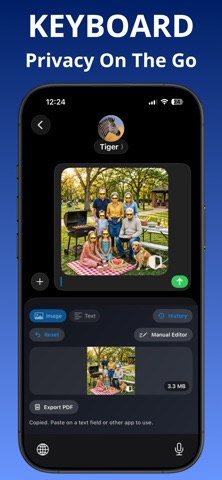
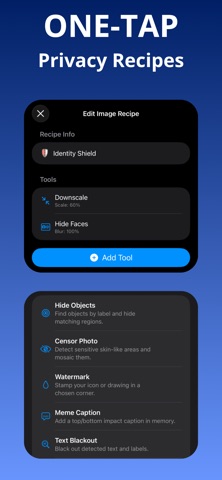
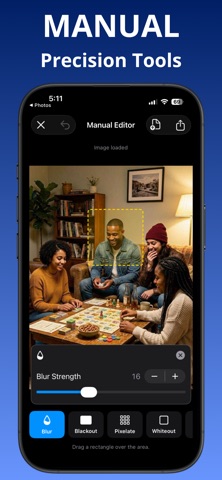
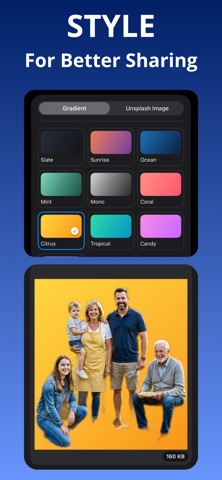
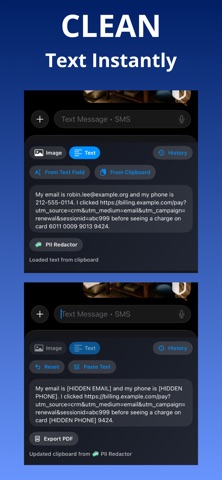
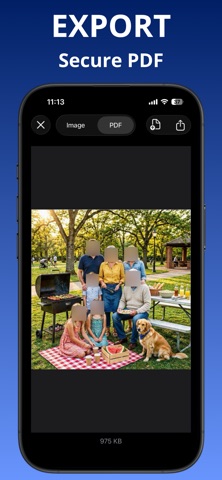
PrivacyVeil helps you blur, mosaic, redact, and remove sensitive details before anything leaves your device. KEY FEATURES One-Tap Privacy Recipes - Apply automation tools in one tap for repeatable results. - Save time on common privacy tasks. Image Recipe Tools - Downscale large images for faster, lighter sharing. - Hide Faces: blur, pixelate, blackout, or emoji cover. - Hide Objects by label with blur, pixelate, blackout, or emoji. - Blackout detected text in screenshots and photos. - Crop Status Bar to remove top UI details quickly. - Gradient Canvas for cleaner presentation backgrounds. - Background Swap with gradients or Unsplash image selection. - Remove Background for subject cutout workflows. - Meme Caption for top and bottom caption overlays. - Watermark with text, icon, or drawing. - Background Blur Focus for subject spotlight effect. - Censor Photo for likely sensitive region mosaics. Manual Photo Editor - Blur, pixelate, blackout, whiteout. - Brush tools + eraser for precise touch-up. - Emoji cover tool for faces and sensitive areas. - Crop tool for fast framing and removal. - Fine-tune settings like blur strength, pixelate strength, and opacity. Keyboard + Share Extension Workflow - Run privacy tools directly from Keyboard Extension. - Process images and text from Share Extension without switching apps. - Export quickly when finished. - Create PDF from cleaned images or text and share instantly. Text Privacy Tools - Clean Link to remove common tracking parameters. - Secret Scanner to mask keys, tokens, JWTs, and private-key patterns. - PII Blockout to mask emails, phone numbers, and card-like strings. - Partial Reveal to keep only a small safe tail (for example last 4 digits). Metadata Protection - Remove EXIF and hidden metadata at export. - Helps reduce accidental data leakage. WHO IT'S FOR - Creators sharing screenshots. - Professionals handling sensitive info. - Anyone who wants safer social sharing. PRIVACY FIRST - Designed for on-device processing workflows. - You stay in control of what gets shared. Use PrivacyVeil in two fast ways: - Keyboard Extension: clean and protect content while you type and share. - Share Extension: open from Photos or other apps, apply privacy tools, and send safely. Need speed? Use Recipes. Need precision? Use Manual Editor. Terms of Use (EULA) https://www.apple.com/legal/internet-services/itunes/dev/stdeula/
Audience growth
Ratings growth
Baseline captured. Growth appears after the crawler observes a changed rating count.
Momentum comes from crawler snapshots for the tracked storefront. “Viral growth signal” means unusually fast recent rating gains; it is an indicator, not download data.
Price tracking
Price intelligence
First snapshot captured. The trend line starts after the next crawler price observation.
- First observed Aug 19, 2026 · 10:18 AM Free
Screenshots