About this app
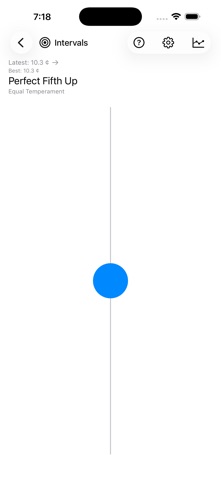
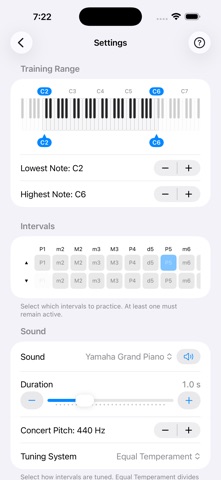
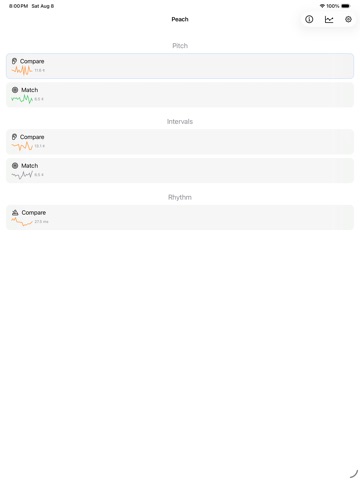
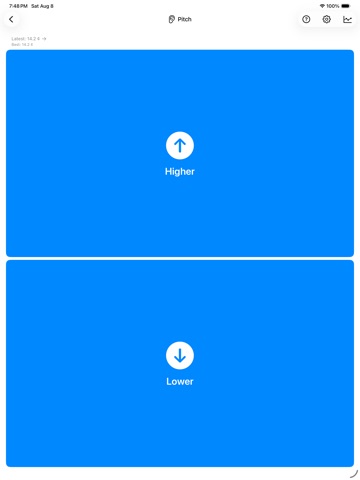
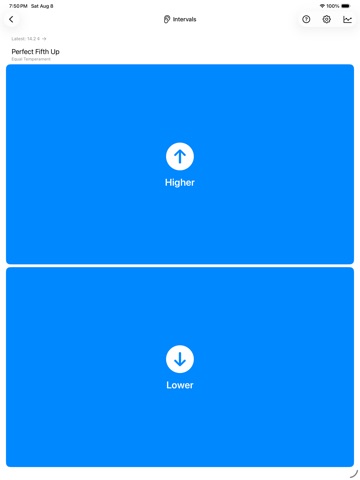
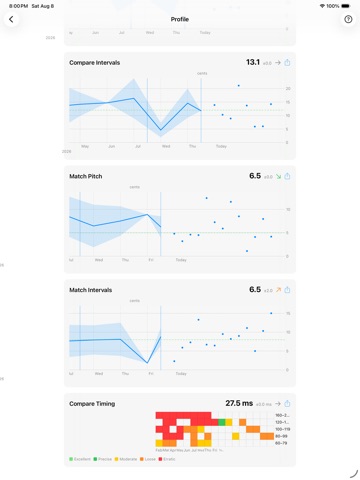
Peach is an ear-training app. It generates short exercises about pitch and timing, records your responses, and adjusts the difficulty over time. The training disciplines: • Compare Pitch — Two notes play; you judge which is higher. • Match Pitch — Adjust a slider until the note matches the reference. • Compare Intervals — An interval plays; you judge whether it is in tune. • Match Intervals — Adjust the second note to form the target interval. • Compare Timing — A short rhythmic pattern plays; you judge whether a note came early or late. The algorithm narrows the cent difference between notes as your responses become more accurate. In Compare Timing it narrows the timing offset the same way. The Profile screen shows per-discipline progress charts, summary statistics, and trend indicators. The home screen shows a small progress sparkline next to each discipline. Settings: • Equal Temperament (12-TET) and Just Intonation tuning systems. • MIDI input from a connected keyboard or controller (Bluetooth, USB, or Network MIDI). • Multiple selectable sounds: piano, strings, sine wave, and others. • CSV export and import of your training data. Peach runs on the device. There is no account, no sign-up, no analytics, and no tracking. Training data stays on the device unless you export it manually. The same app runs on iPhone and iPad. Data does not sync between devices automatically; transfer it via CSV export and import if you need to. There are no scores, levels, or streaks.
Latest release
What’s New
Compare Timing — a new training discipline A short rhythmic pattern plays with one note shifted slightly early or late; you judge which it was. The pattern repeats until you answer. Tempo, pattern, the position of the offset note, and the number of repetitions are set in Settings. Just Intonation correction Intervals in Just Intonation are now derived from each exercise's own reference note using pure frequency ratios. Previously they came from a fixed table rooted on A, so the in-tune target could be off by up to 41 cents depending on which reference note the exercise picked. Other changes • Settings uses sliders for continuous values such as note duration and tempo, and a piano keyboard for choosing the training note range. • Audio recovers correctly after a Bluetooth codec switch or a restart of the system audio service. • The Profile screen redraws faster when the training history is large.
Audience growth
Ratings growth
Baseline captured. Growth appears after the crawler observes a changed rating count.
Momentum comes from crawler snapshots for the tracked storefront. “Viral growth signal” means unusually fast recent rating gains; it is an indicator, not download data.
Price tracking
Price intelligence
First snapshot captured. The trend line starts after the next crawler price observation.
- First observed Aug 23, 2026 · 6:55 AM Free
Screenshots