About this app
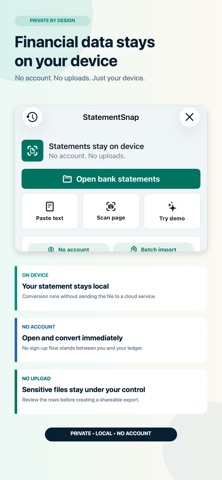
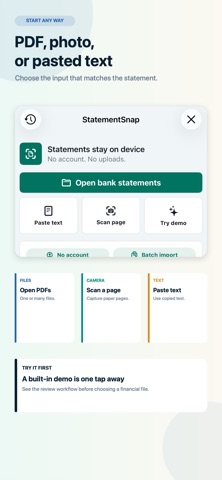
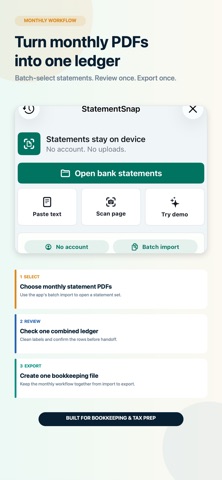
Turn bank and card statement PDFs into editable CSV, Excel, and accounting files—privately on your iPhone. Free. No account. No statement uploads. StatementSnap processes the statement content on your device. Import one statement or batch-select multiple files, paste statement text, or scan a page. Review the extracted rows, correct anything that needs attention, then export a clean file for bookkeeping, reconciliation, or your own records. FROM STATEMENT TO EDITABLE DATA • Open one PDF or batch-select multiple bank and card statements • Paste statement text or scan a page with the camera • Keep up to 20 recent statement projects on your device • Search, rename, and reopen saved projects FIND THE ROW YOU NEED • Search the current ledger by merchant or description • Find dates, signed or absolute amounts, balances, categories, confidence, notes, source rows, and source filenames • Enter multiple terms to narrow the result • See a clear no-results state and return to the full ledger in one tap REVIEW BEFORE YOU EXPORT • Read and edit full descriptions, with the original statement row available for reference • Inspect extracted dates and amounts • Edit categories and notes • Clean merchant labels • Focus on rows and accounting mappings that need review • Mark reviewed transactions ready for export CONFIRM LIKELY TRANSFERS • Review exact-cent, opposite-sign candidates from different accounts and statement sources • StatementSnap suggests a pair only when each row is the other row's unique best match within three calendar days • Approve or reject every suggestion; ambiguous groups stay unpaired • Keep both original rows and the original money-in, money-out, net, and reconciliation totals • See separate operating inflow and outflow totals that exclude only approved transfer pairs • Automatically invalidate a decision when its source evidence changes EXPORT THE FORMAT YOU NEED • Spreadsheets: CSV, Excel, and TSV • Bookkeeping: Bookkeeping CSV • Accounting: QuickBooks-compatible CSV and IIF; Xero-, Zoho-, Sage-, Wave-, and NetSuite-compatible CSV • Finance apps: OFX, QFX, QBO, and QIF • Structured review: JSON and audit report PRIVATE BY DESIGN StatementSnap's conversion, search, review, transfer matching, and saved-project workflow runs on your iPhone. It does not require an account or upload your bank statement files or their transaction content for processing. StatementSnap is a conversion and organization utility. It does not provide financial, accounting, tax, or legal advice. Always review exported data before relying on it. QuickBooks is a trademark of Intuit Inc. Xero is a trademark of Xero Limited. StatementSnap is not affiliated with or endorsed by either company.
Latest release
What’s New
QuickBooks Online export is easier to follow. • Follow clear steps to save a CSV and upload it into QuickBooks Online. • Open QuickBooks Online and its upload instructions from the export guide. • Easily distinguish the transaction CSV from the audit report. • Save your CSV through the iPhone share sheet with Save to Files guidance. • Open full transaction descriptions, inspect the original statement text, edit categories independently, and search transactions.
Audience growth
Ratings growth
Baseline captured. Growth appears after the crawler observes a changed rating count.
Momentum comes from crawler snapshots for the tracked storefront. “Viral growth signal” means unusually fast recent rating gains; it is an indicator, not download data.
Price tracking
Price intelligence
- First observed Aug 13, 2026 · 3:58 PM Free
Screenshots