About this app
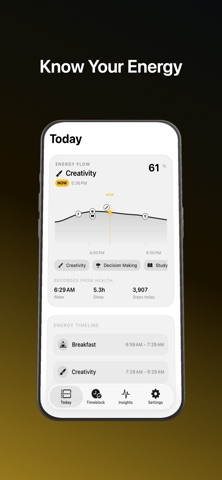
Energy Blocks helps you plan focused work around your daily energy. See an Energy Flow timeline based on permitted sleep and activity signals from Apple Health. Add tasks, choose the energy level they need, and get suggested time blocks that fit your day. Energy Blocks can check your Calendar locally to avoid conflicts, save confirmed time blocks, and send local reminders before and when a block starts. Features: - Energy Flow timeline for the current day - Suggested windows for focus, study, creativity, decisions, exercise, meals, naps, and wind-down - Intent-aware task suggestions based on your task name - Drag-to-adjust time blocks before saving - Calendar conflict awareness - Local notifications for confirmed blocks - Home Screen widgets for quick energy checks Privacy-first by design: - No login - No backend - No analytics - No advertising - No health data upload Health and calendar data are processed on device. Energy Blocks provides productivity guidance, not medical advice.
Latest release
What’s New
Fix Bugs and Allow user with just Steps and Sleep Data
Audience growth
Ratings growth
Baseline captured. Growth appears after the crawler observes a changed rating count.
Momentum comes from crawler snapshots for the tracked storefront. “Viral growth signal” means unusually fast recent rating gains; it is an indicator, not download data.
Price tracking
Price intelligence
First snapshot captured. The trend line starts after the next crawler price observation.
- First observed Aug 19, 2026 · 4:21 PM Free
Screenshots