About this app
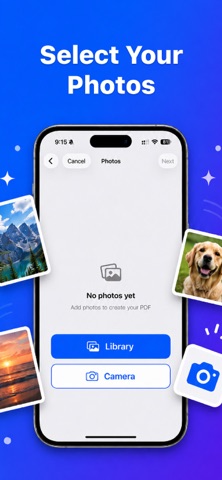
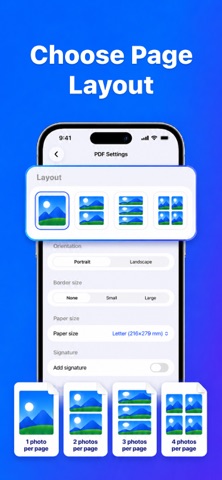
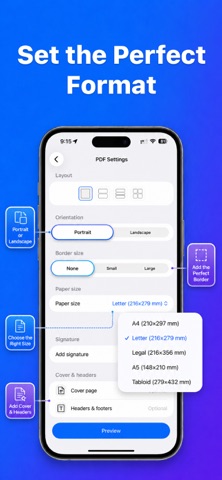
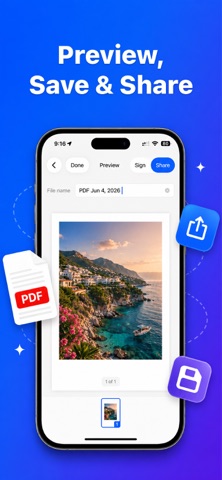
Turn your photos into professional PDFs—fast, free, and entirely on your iPhone or iPad. PhotoToPDF is the simple way to combine pictures, scans, and documents into one PDF you can preview, rename, and share anywhere. No account required. Your files stay on your device until you choose to export them. PERFECT FOR • School notes, homework, and study materials • Receipts, invoices, and business documents • Photo albums and multi-page files • Forms that need a quick signature • Anything you need to save or send as a PDF CREATE PDFs YOUR WAY • Import from your Photo Library or scan with the camera • Arrange photos in the order you want • Choose how many images appear on each page (1, 2, 3, or 4) • Set orientation, paper size (A4, Letter, Legal, and more), and border size • Optional cover page, header, and footer text • Preview your PDF before you share it • Name your file before sending SCAN & CONVERT Use the built-in scanner to capture documents and add them to your PDF. Combine camera scans with existing photos in one project. SIGN DOCUMENTS Draw your signature and place it on the last page of your PDF—ideal for forms, agreements, and quick approvals. SHARE IN ONE TAP Export your finished PDF with a custom file name. Share via Mail, Messages, Files, AirDrop, and other apps you already use. BUILT FOR PRIVACY PhotoToPDF works offline. We don’t require sign-in, and your photos and PDFs are processed and stored locally on your device—not uploaded to our servers for conversion. FREE TO USE Create and export PDFs without subscriptions or ads getting in your way. Download PhotoToPDF and turn your images into PDFs you’re ready to share. Terms of Use: https://www.apple.com/legal/internet-services/itunes/dev/stdeula/
Latest release
What’s New
Improvements & Bug Fixes
Audience growth
Ratings growth
Baseline captured. Growth appears after the crawler observes a changed rating count.
Momentum comes from crawler snapshots for the tracked storefront. “Viral growth signal” means unusually fast recent rating gains; it is an indicator, not download data.
Price tracking
Price intelligence
First snapshot captured. The trend line starts after the next crawler price observation.
- First observed Aug 24, 2026 · 1:12 AM Free
Screenshots