About this app
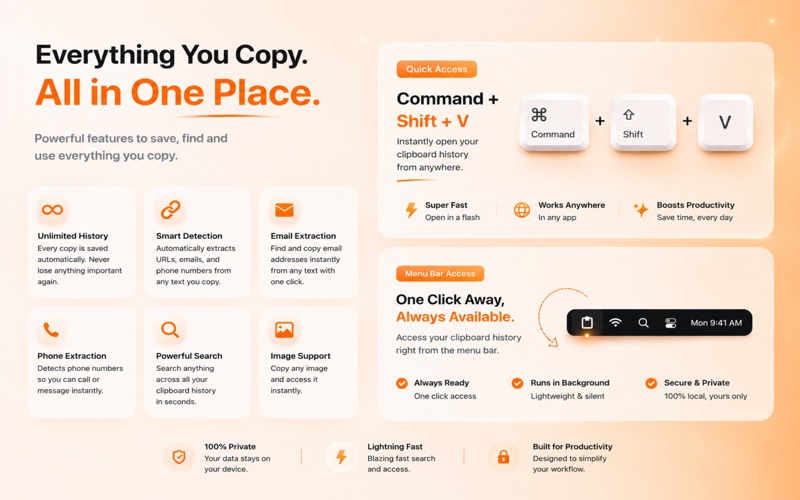
Clix – Smart Clipboard Manager transforms your clipboard into a powerful productivity tool for macOS. Instead of losing previously copied content every time you copy something new, Clix automatically saves your clipboard history, intelligently organizes every item, and lets you instantly paste anything you've copied with a simple global shortcut. Whether you're writing code, managing documents, researching online, or working across multiple applications, Clix keeps everything you've copied just a keystroke away. Text, links, emails, phone numbers, and images are automatically detected and categorized, making it effortless to find exactly what you need without interrupting your workflow. Designed specifically for macOS, Clix runs quietly in your menu bar and provides a fast, native experience that feels right at home. Open the floating clipboard overlay from anywhere, search your history in seconds, edit saved clips, and paste directly back into your current application without switching windows. Your clipboard history remains completely local on your Mac. Clix never uploads your copied content, giving you complete control over your data while providing a secure and private clipboard management experience. Key Features • Complete Clipboard History – Automatically saves everything you copy so you never lose important clipboard content again. • Smart Clipboard Detection – Automatically identifies and categorizes copied content into Text, URLs, Email Addresses, Phone Numbers, and Images. • Rich Text & Image Support – Capture rich text content and extract inline images from supported applications for easy reuse. • Instant Global Access – Open your clipboard history anywhere using a customizable global keyboard shortcut. • Floating Quick Paste Panel – Access a beautiful floating clipboard overlay that lets you search, browse, and paste without disrupting your workflow. • Automatic Paste – Select any saved clipboard item and instantly paste it back into your active application. • Powerful Search – Quickly locate previous clipboard items with fast, real-time search. • Smart Source Detection – See which application each clipboard item came from with recognizable app icons. • Duplicate Detection – Prevent unnecessary clutter by automatically ignoring duplicate clipboard entries. • Keyboard-First Navigation – Browse your clipboard entirely from the keyboard using intuitive shortcuts and navigation. • Edit & Manage Clips – Modify saved clipboard entries, delete individual items, or clear your history whenever you choose. • Privacy-Focused Design – Sensitive clipboard content detected from supported password managers is automatically ignored by default. • Exclude Applications – Choose specific apps whose clipboard activity should never be recorded. • Pause Clipboard Monitoring – Temporarily disable clipboard monitoring whenever you need complete privacy. • Flexible Retention Options – Automatically remove older clipboard items after 1, 7, 30, or 90 days, or keep your history indefinitely. • Launch at Login – Start Clix automatically whenever your Mac starts so your clipboard history is always available. • Native macOS Experience – Built specifically for macOS using modern Apple technologies for speed, reliability, and seamless system integration. Clix Pro Unlock the full power of your clipboard with Clix Pro. Free users can always access their most recent clipboard item, while Clix Pro unlocks your complete clipboard history, allowing you to browse, search, edit, and instantly paste every saved clip. Choose the plan that works best for you with Weekly, Monthly, or Lifetime access. Some premium features require an active Clix Pro subscription or Lifetime purchase. Privacy Your clipboard history is stored locally on your Mac and is never uploaded to external servers by Clix. Privacy Policy https://sites.google.com/view/nomanhaiderapps/privacy-policy Terms of Use https://www.apple.com/legal/internet-services/itunes/dev/stdeula/
Audience growth
Ratings growth
Baseline captured. Growth appears after the crawler observes a changed rating count.
Momentum comes from crawler snapshots for the tracked storefront. “Viral growth signal” means unusually fast recent rating gains; it is an indicator, not download data.
Price tracking
Price intelligence
First snapshot captured. The trend line starts after the next crawler price observation.
- First observed Aug 8, 2026 · 11:19 PM Free
Screenshots