About this app
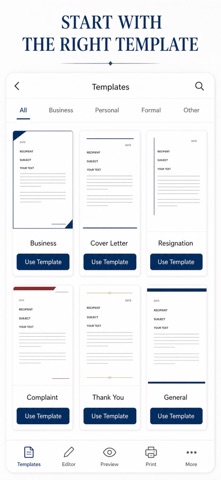
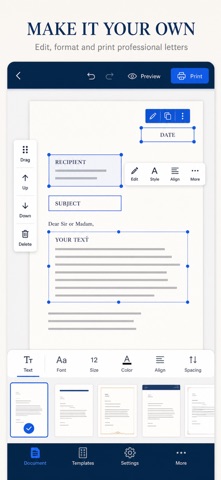
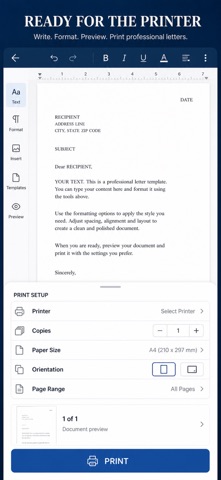
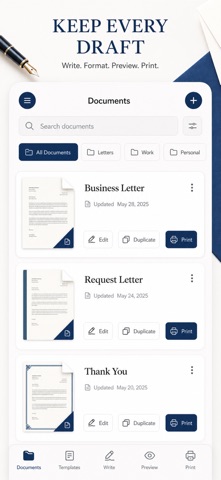
You need a proper letter on paper today — a resignation, a cover letter, a formal complaint — and there is no laptop, no word processor, and no time to fight with margins. Letter Printer turns your iPhone into the desk where that letter gets written, laid out and printed. Most writing apps hand you a blank box and hope for the best. This one is built around the printed page: sender block, date, recipient block, salutation, body, closing and signature each have their own field, and a Core Text layout engine composes them onto a real A4 or US Letter sheet. What you see in Preview is pixel-for-pixel what leaves the printer. WHAT YOU GET - A finished, correctly structured letter in minutes, starting from one of 12 ready-made templates (business, cover, resignation, complaint, recommendation, thank-you, apology, invitation, reference request, formal request, notice, blank) - The exact printed page on screen before you commit a single sheet of paper, with automatic multi-page flow for long letters - Paper that looks considered: four letterhead styles (Accent Bar, Monogram, Classic Rule or none) and four typefaces (Serif, Sans, Mono, Rounded) - Layout control that actually changes the page: A4 or US Letter, narrow / normal / wide margins, 10-18pt text size, left / centered / justified body - A real print job over AirPrint, or a crisp multi-page PDF you can share, email or archive from the share sheet - Addresses you never retype: save senders and recipients to a built-in address book and drop them into any letter PERFECT FOR - Job seekers sending cover letters, resignations and reference requests - Small business owners and freelancers writing client notices and formal requests - Anyone filing a complaint, claim or appeal that has to be posted on paper - Students and family members writing thank-you notes and invitations that deserve a real page WHY NOT JUST USE A WORD PROCESSOR? Because a blank document is not a letter. A word processor gives you a page and leaves the formal structure, the block spacing, the letterhead and the margin math to you — usually on a laptop you do not have with you. Here the structure is already correct, the preview is the print, and the whole job happens on the phone in your hand. PRIVACY Your letters and saved addresses stay on your device in local storage. There is no account, no sign-up, and nothing is uploaded to a server. FULL ACCESS Letter Printer requires a purchase to use. Full Access unlocks everything in the app: unlimited printing, unlimited saved letters, all 12 templates, all four letterhead styles and typefaces, and full-quality PDF export and sharing. Choose a weekly subscription, a yearly subscription, or a one-time lifetime purchase on the upgrade screen. Subscriptions renew automatically unless cancelled at least 24 hours before the period ends; manage or cancel them in your Apple Account settings. Already bought it? Restore Purchases is on the upgrade screen and in Settings. Open a template, type your letter, and print it before the post office closes. Terms of Use (EULA): https://web-levi.web.app/terms Privacy Policy: https://web-levi.web.app/privacy-policy Questions? tphuc.work@gmail.com
Latest release
What’s New
Bug fixes and performance improvements.
Audience growth
Ratings growth
Baseline captured. Growth appears after the crawler observes a changed rating count.
Momentum comes from crawler snapshots for the tracked storefront. “Viral growth signal” means unusually fast recent rating gains; it is an indicator, not download data.
Price tracking
Price intelligence
First snapshot captured. The trend line starts after the next crawler price observation.
- First observed Aug 21, 2026 · 1:53 AM Free
Screenshots