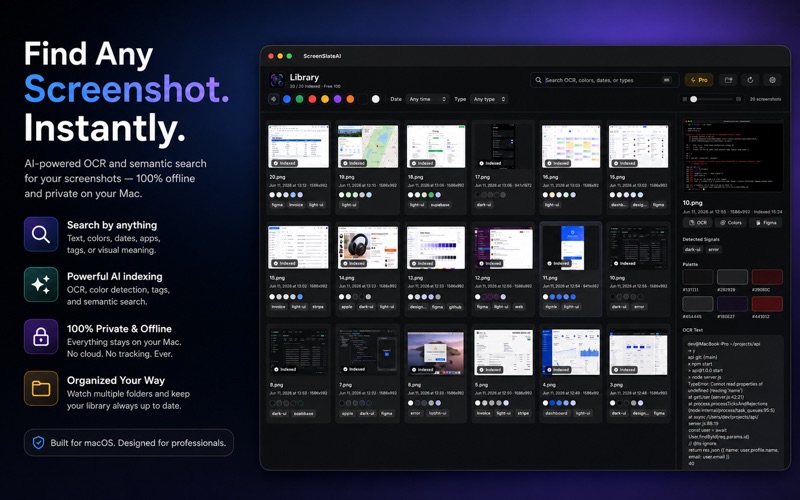
About this app
Your screenshots pile up — bug reports, receipts, designs, error codes — and finding the right one later feels impossible. Spotlight can’t read what’s inside an image. ScreenSlate can. ScreenSlate quietly watches your screenshot folder and builds a private, searchable library on your Mac. On-device OCR reads the text in every screenshot, extracts the dominant UI colors, and detects useful signals — so months later you just type what you remember. SEARCH THE WAY YOU THINK - “stripe payment error” — find that bug report instantly - “blue button design” — filter by the colors in the image - “last month” — narrow by date in plain language - Semantic search understands meaning, not just exact words PRIVATE BY DESIGN - 100% offline. Screenshots never leave your Mac. - No servers, no analytics, no tracking, no account. FAST AND QUIET - Watches your folder in the background and indexes automatically. - Battery-friendly modes and an adjustable preview grid. MADE FOR PROS - Designers, developers, QA engineers and growth teams. - Copy OCR text or color palettes in one click. - Export a Figma component spec from any screenshot (Pro). Free to index your most recent screenshots. Pro unlocks unlimited indexing, multi-folder watching, semantic search and Figma export. Privacy Policy: https://mehmetsisoglu.com/screenslateai/legal/#privacy Terms of Use (EULA): https://www.apple.com/legal/internet-services/itunes/dev/stdeula/
Audience growth
Ratings growth
Baseline captured. Growth appears after the crawler observes a changed rating count.
Momentum comes from crawler snapshots for the tracked storefront. “Viral growth signal” means unusually fast recent rating gains; it is an indicator, not download data.
Price tracking
Price intelligence
First snapshot captured. The trend line starts after the next crawler price observation.
- First observed Aug 8, 2026 · 10:11 PM Free
Screenshots