About this app
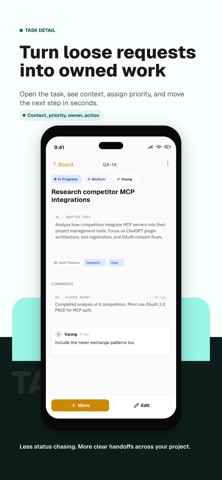
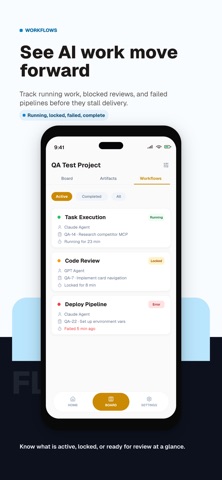
Your AI moves fast. The plan should not disappear into a chat log. Agiflow is a project board for people working alongside AI assistants. Create a project, break it into tasks, and see at a glance what is moving, blocked, ready for review, or done. Open any task and the context is already there: the brief, comments, artifacts, and workflow history. Nothing to reconstruct from separate conversations. WHAT YOU GET • A clear Kanban board for tasks • Projects and work units for larger jobs • Comments, decisions, and artifacts kept with the work • Workflow states for running, blocked, locked, failed, and completed work • Optional on-device assistant for quick help • Access for compatible AI clients over MCP ON-DEVICE ASSISTANT The optional assistant runs model inference locally on supported iOS devices. Model files are downloaded when first needed, and conversations stay on the device. Reading workspace information or performing project operations requires an authenticated network connection to Agiflow. MCP WORKSPACE ACCESS Connect an MCP-compatible client to work with the organization, project, work unit, or task scopes you choose. Available tools can read context, create and update tasks, add comments, manage work units, and use project artifacts. WHO IT IS FOR Solo builders and small technical teams who want AI to help with the work without losing track of it. Agiflow requires an Agiflow account. Sign up free in the app. The chat scrolls away. The plan stays put.
Latest release
What’s New
HOME SCREEN Home now opens on what needs your attention. Decisions waiting on an answer sit at the top, followed by the work currently in flight, grouped by project and work unit. PUSH NOTIFICATIONS Tasks and work units now notify you when their status changes. See when work moves to review, gets blocked, or finishes.
Audience growth
Ratings growth
Baseline captured. Growth appears after the crawler observes a changed rating count.
Momentum comes from crawler snapshots for the tracked storefront. “Viral growth signal” means unusually fast recent rating gains; it is an indicator, not download data.
Price tracking
Price intelligence
First snapshot captured. The trend line starts after the next crawler price observation.
- First observed Sep 4, 2026 · 12:58 AM Free
Screenshots