About this app
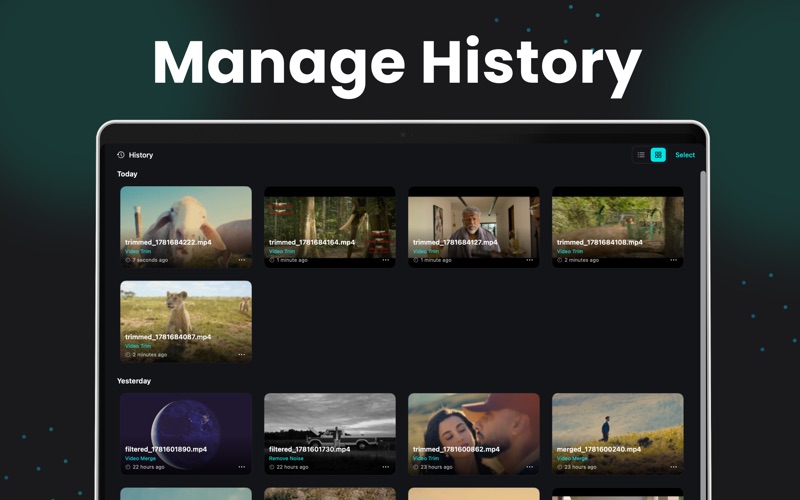
Video Compressor : Editor – All-in-One Video Suite Compress, edit, merge, and trim your videos with professional precision using ClipSqueeze, the ultimate high-performance video utility for macOS. ClipSqueeze is a powerful and versatile tool designed to be your go-to solution for all video tasks. Whether you need to shrink large files for social media, remove unwanted noise, or combine multiple clips into a single masterpiece, ClipSqueeze provides a seamless and fast workflow. With support for advanced codecs, custom bitrates, and 4K resolution, you get total control over your video output without compromising on quality. Key Features Advanced Video Compression: Shrink your videos using professional-grade compression speeds (Normal, Fast, Fastest). Fully customize your output with support for MP4, MOV, MKV, M4V, AVI, and FLV formats using H.264/H.265 codecs. Social Media Fit-to-Size: Instantly optimize your videos for sharing. Choose from built-in presets for Discord, WhatsApp, X (Twitter), Gmail, and Outlook to ensure your file meets the exact size requirements every time. Precise Video Trimming: Cut and trim your videos with millisecond accuracy. Simply input your desired start and end times to extract the perfect clip. Seamless Video Merging: Combine multiple video files into one continuous high-quality video with just a few clicks. Professional Editing Tools: Resolution Control: Choose from standard presets or set a custom 4K resolution. Bitrate & Quality Management: Use intuitive sliders to adjust bitrate (up to 10 Mbps) and CRF quality levels to find the perfect balance between size and clarity. Smart Noise Removal: Enhance your video's audio by removing background noise with a single toggle. Pro-Level Customization: Fine-tune your videos with frame rate (FPS) controls and high-quality presets for the most demanding professional projects. Supported Formats & Codecs Input/Output: MP4, MOV, MKV, M4V, AVI, FLV. Codecs: libx264, libx265 (HEVC), H.263. Resolution: Support from small mobile sizes up to 4K (3840 x 2160). Perfect For Content Creators: Quickly edit and compress vlogs for YouTube or Instagram. Remote Professionals: Shrink presentation videos to send via Email or Slack. Gamers: Clip and compress gameplay footage to share on Discord or X. Everyday Users: Save storage space on your Mac by organizing and compressing your video library. ClipSqueeze is designed to make video handling simple, fast, and convenient, turning your raw footage into professional-ready content. Note: Additional purchase is required to unlock all premium features, unlimited conversions, and full access to ClipSqueeze tools. Privacy Policy & Terms of Use https://sites.google.com/view/myapps-termsofuse/home https://sites.google.com/view/myapps-info-privacypolicy/home
Audience growth
Ratings growth
Baseline captured. Growth appears after the crawler observes a changed rating count.
Momentum comes from crawler snapshots for the tracked storefront. “Viral growth signal” means unusually fast recent rating gains; it is an indicator, not download data.
Price tracking
Price intelligence
First snapshot captured. The trend line starts after the next crawler price observation.
- First observed Aug 8, 2026 · 11:47 PM Free
Screenshots