About this app
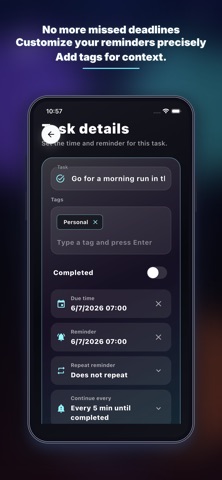
Are you tired of complex task entry and missing important notifications? Meet WinAITask, the intelligent to-do list designed to truly understand you and ensure you never miss a beat. Whether you have a packed schedule or struggle with procrastination, WinAITask is here to help you take control of your day effortlessly. Key Features: AI-Powered Natural Input Say goodbye to tedious manual setups! Just speak or type naturally, like "I have a meeting tomorrow at 10 AM" or "Wake up at 6 AM every day for a run." Our advanced AI instantly understands your intent, automatically extracting the task, setting the precise time, and creating the reminder for you. Persistent "Never Miss" Reminders Most to-do apps ping you once and disappear. If you don't look at your phone, the task is forgotten. WinAITask features a unique "Persistent Reminder" mechanism. It will continuously notify you until you explicitly mark the task as complete. Say goodbye to forgotten chores and missed deadlines! Smart 'Today's Plan' & Organization Automatically filter your most urgent and overdue tasks into the intuitive "Today's Plan" view. Use customizable tags (e.g., Work, Personal, Finance) to organize and track your progress seamlessly from one place. Download WinAITask today, let AI free up your time, and ensure every important task gets done! Note: Unlimited AI assistance and removing ads require an auto-renewing subscription (In-App Purchase). Terms of Use: https://www.apple.com/legal/internet-services/itunes/dev/stdeula/
Latest release
What’s New
What's new in 1.5.0: • Sounds that actually play — pick from 6 hand-curated alert tones (Chime, Bell, Soft, Ping, Refrain, Urgent) and preview them right inside Settings. • Vibrate (or don't): Off / Light / Standard / Heavy. Heavy breaks through Focus; Off keeps the meeting room quiet. • A new Calendar view — see every due date on a single grid and tap any day to focus on just that day's tasks. • Edits save themselves the moment you make them. Walk away mid-edit with confidence. Thanks for using WinAITask!
Audience growth
Ratings growth
Baseline captured. Growth appears after the crawler observes a changed rating count.
Momentum comes from crawler snapshots for the tracked storefront. “Viral growth signal” means unusually fast recent rating gains; it is an indicator, not download data.
Price tracking
Price intelligence
First snapshot captured. The trend line starts after the next crawler price observation.
- First observed Aug 8, 2026 · 3:22 PM Free
Screenshots