About this app
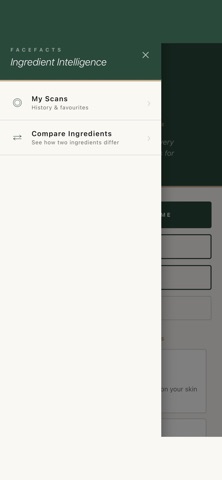
Ever stood in a shop aisle squinting at an ingredient list, wondering what half of it actually is? FaceFacts gives you the answer in seconds. Scan a barcode, search a product name, or paste in an ingredient list. FaceFacts decodes every ingredient in plain English: what it does, how it works on your skin, where it comes from, and whether it's natural or synthetic. THREE WAYS TO DECODE Scan the barcode. Point your camera at any skincare product and get the full breakdown instantly. Search by name. Type in something like "CeraVe Moisturising Cream" and FaceFacts finds and analyses the ingredients for you. Enter manually. Copy and paste an ingredient list from any website. Perfect for online shopping before you buy. WHAT YOU GET Every ingredient explained in plain English, no chemistry degree needed. Potential irritants flagged automatically, especially helpful for sensitive skin. Can I Mix These: check whether products or ingredients work together, with AM and PM routine guidance. Compare two products side by side and see exactly what's different. Scan history so your products are always one tap away. FREE TO USE 3 scans a day, free forever. Upgrade to Pro for unlimited scans, the compatibility checker, product comparison. Cancel anytime through the App Store. A NOTE FROM US FaceFacts is for information and education. It is not a substitute for advice from a dermatologist or doctor. Always check the physical product label, as formulations can change. Questions or a product we could not find? Email hello.facefacts.app@gmail.com and we will sort it. Terms of Use: https://www.apple.com/legal/internet-services/itunes/dev/stdeula/
Latest release
What’s New
Bug fixes and performance improvements
Audience growth
Ratings growth
Baseline captured. Growth appears after the crawler observes a changed rating count.
Momentum comes from crawler snapshots for the tracked storefront. “Viral growth signal” means unusually fast recent rating gains; it is an indicator, not download data.
Price tracking
Price intelligence
First snapshot captured. The trend line starts after the next crawler price observation.
- First observed Aug 21, 2026 · 2:58 PM Free
Screenshots