About this app
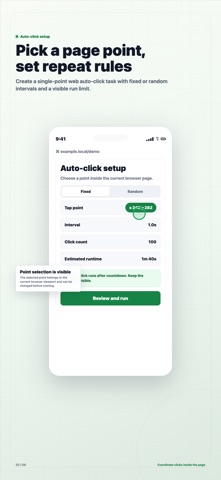
Shudaxia Auto Clicker is a web automation tool for iOS. Open a page in the app's built-in browser, record page actions such as taps, waits, scrolling, refreshes, and text entry, then review the steps before running the task. Task templates are saved on device with their starting URL and tap positions, so you can return to the same page and reuse a workflow. Free users can save up to 2 task templates and run a task for up to 3 minutes at a time. Subscribers can save up to 100 task templates and run a task for up to 60 minutes at a time. Please note: this app automates pages opened inside its built-in browser. Tasks run while the app is open and the browser page is visible. Terms of Use (EULA): https://www.apple.com/legal/internet-services/itunes/dev/stdeula/ Privacy Policy: https://app.shudaxia.com/html/privacy_policy.html
Latest release
What’s New
Improved first-run guidance and the Pro paywall: one-tap example task, clearer Pro benefits, 7-day free trial terms, and an upgrade prompt when the free run-time limit is reached. Stability fixes.
Audience growth
Ratings growth
Baseline captured. Growth appears after the crawler observes a changed rating count.
Momentum comes from crawler snapshots for the tracked storefront. “Viral growth signal” means unusually fast recent rating gains; it is an indicator, not download data.
Price tracking
Price intelligence
First snapshot captured. The trend line starts after the next crawler price observation.
- First observed Sep 7, 2026 · 9:14 PM Free
Screenshots