About this app
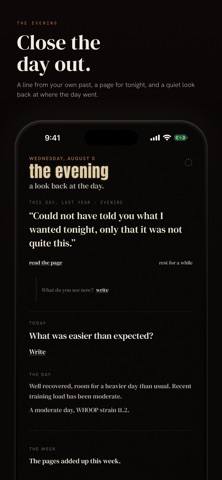
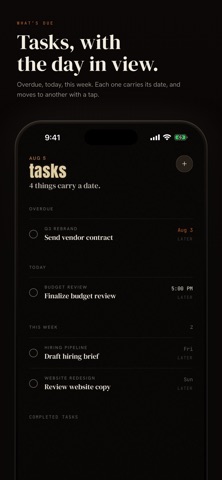
A calm, smart and personalized planner for your schedule, tasks, habits, and journal. Plan your day in plain words, keep gentle practices, and reflect at night. No streaks, no scores, no shame for an off day. Connect and import any calendar that you already use it, and this becomes a system that truly understands you. Most productivity apps keep score. Ordo does not. Nothing to break, no number that falls when you rest, no red mark for a day you missed. Put something down, pick it up later, and nothing punishes you for it. ONE PAGE FOR THE DAY See what is now, what is next, and what is still open, typeset like a printed page instead of a grid of boxes. A short morning briefing meets you first: the weather, the daylight, and one line about the day. PLAN IT IN YOUR OWN WORDS Talk or type to the companion. Say "resume work 1:30 to 5, finish the deck" and it lays out timed blocks around what is already on your calendar. It plans, you decide. WHAT IS INSIDE - Practices: gentle habits that count the days you keep, and never shame a miss - Reflect: a full-screen journal, written by hand or by voice - Focus: a calm timer under a night sky, quiet stretches with rest between - Schedule: your day and week, typeset clearly from morning to night - Tasks: everything you need to complete, understood and weaved into schedule, with focus integrated for specific sessions - Mirrors your iCloud, Google, and Exchange calendars - Home-screen widgets and a Live Activity keep now and next in view - Smart voice input everywhere you write FOR STUDENTS Say your semester once, and your classes, meetings, and study time land on the schedule. Your classes, assignments, exams, even holidays are in one place. They seamlessly connect to your schedule and works as one whole ecosystem. THE BODY Ordo can read your sleep and recovery each morning, from an Apple Watch by way of Apple Health, or from a WHOOP account. It stays off until you turn it on. A short night earns a lighter day. A recovered one earns a fuller day. Apple Health is read on your iPhone through Apple's HealthKit: iOS asks your permission before anything is read, and Ordo only reads, never writing anything back. WHOOP is a separate connection, authorized on WHOOP's own page rather than through Apple Health. Without a wearable Ordo says so plainly instead of guessing, and the rest of the app works the same either way. WHO IT IS FOR Anyone who wants the whole day in one calm place: students, people with a lot on, and anyone tired of apps that punish a missed day. No points to chase, nothing to lose. Ordo holds your schedule, your tasks, your practices, and your journal, and asks nothing of you in return.
Audience growth
Ratings growth
Baseline captured. Growth appears after the crawler observes a changed rating count.
Momentum comes from crawler snapshots for the tracked storefront. “Viral growth signal” means unusually fast recent rating gains; it is an indicator, not download data.
Price tracking
Price intelligence
First snapshot captured. The trend line starts after the next crawler price observation.
- First observed Aug 19, 2026 · 3:17 PM Free
Screenshots