About this app
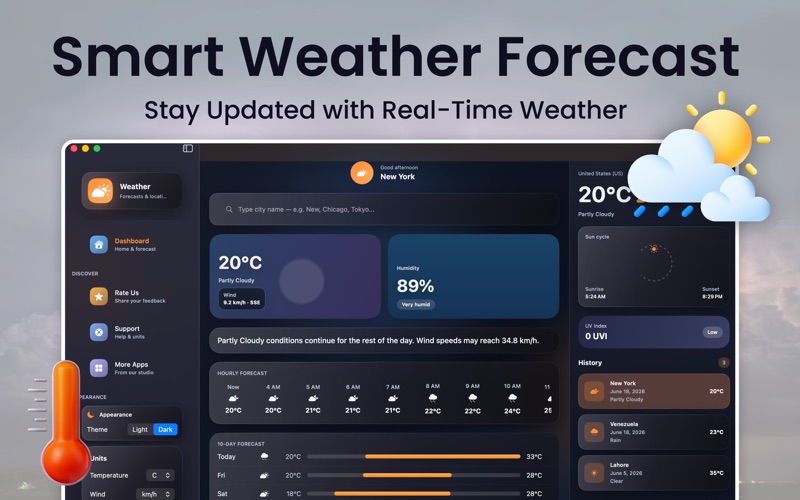
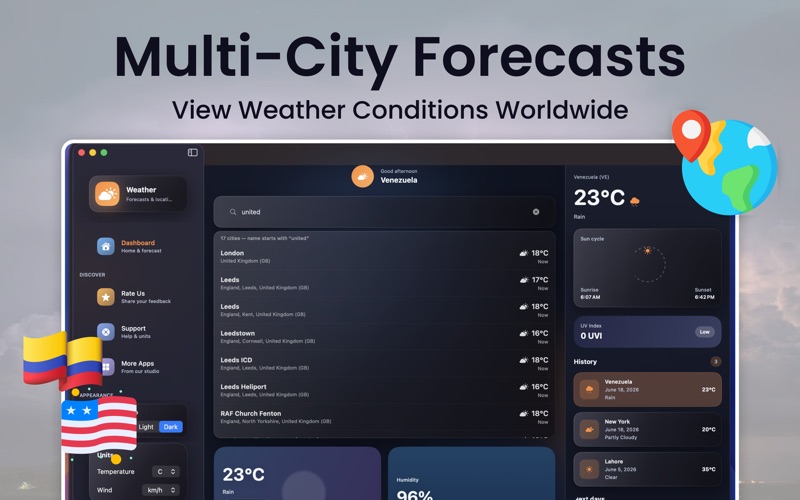
Weather App brings beautiful, reliable forecasts to your Mac desktop and menu bar. Check current conditions, explore hourly trends, search cities worldwide, and keep your favorite locations close—all in a clean, native macOS experience. FEATURES • Live Dashboard — Current temperature, conditions, and a clear weather narrative at a glance • Hourly Forecast — See how temperature, precipitation, and wind change through the day • 10-Day Outlook — Plan ahead with an extended daily forecast (Weather PRO) • Global City Search — Look up weather for cities around the world • Favorites & Recents — Save places you care about and jump back quickly • Menu Bar Weather — Check conditions without leaving your workflow (Weather PRO) • Weather Details — UV index, humidity, wind, sunrise/sunset, and more (Weather PRO) • Location Weather — Optional precise location for local conditions (your choice) • Light & Dark Mode — Match your Mac or pick your preferred look • Flexible Units — Celsius or Fahrenheit, plus wind speed units WEATHER PRO (OPTIONAL SUBSCRIPTION) Upgrade to Weather PRO for the full experience: • Menu bar weather • 10-day forecast • Unlimited global city search • Extended hourly forecast and detail cards Choose a plan that works for you. Payment is charged to your Apple ID. Subscriptions auto-renew unless canceled at least 24 hours before the end of the current period. Manage or cancel anytime in System Settings → Apple ID → Subscriptions. Free users can still use the app with limited city searches. DISCLAIMER Weather App is an independent weather application. It is not affiliated with, endorsed by, or operated by Apple Inc., national meteorological agencies, or government emergency services. All forecasts, alerts, and weather information are estimates based on third-party data and may be delayed, incomplete, or inaccurate. Do not rely on this app for life-safety, emergency, aviation, marine, or critical operational decisions. For severe weather or emergencies, follow official local authorities and trusted government sources.Location data is used only to show weather near you when you grant permission. Location is not required to use the app—you can search any city manually. Privacy Policy: https://sites.google.com/view/appsync/privacy-policy Terms & Conditions: https://sites.google.com/view/appsync/termsconditions
Latest release
What’s New
- Bug Fixing
Audience growth
Ratings growth
Baseline captured. Growth appears after the crawler observes a changed rating count.
Momentum comes from crawler snapshots for the tracked storefront. “Viral growth signal” means unusually fast recent rating gains; it is an indicator, not download data.
Price tracking
Price intelligence
First snapshot captured. The trend line starts after the next crawler price observation.
- First observed Aug 8, 2026 · 11:59 PM Free
Screenshots