About this app
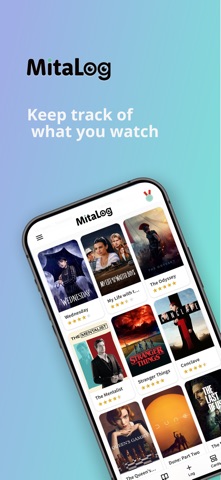
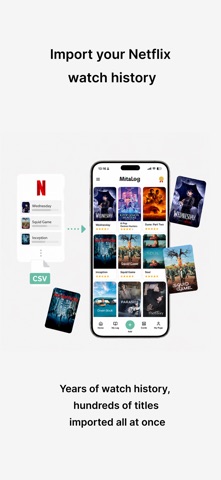
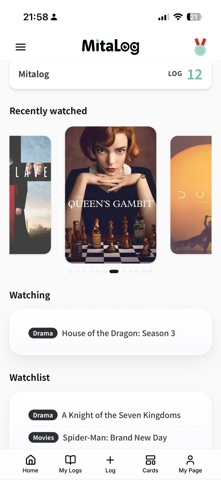
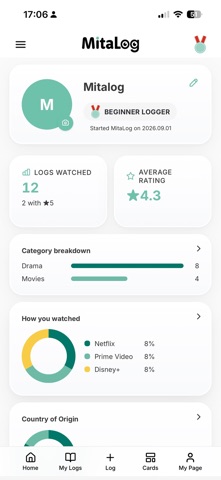
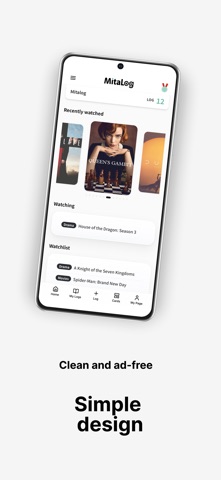
Keep a lifetime record of everything you watch. MitaLog is your personal viewing log for tracking the movies, TV shows, and anime you've watched. Simply enter a title, and MitaLog automatically retrieves information such as the poster, synopsis, cast, release year, country of production, and more. Your viewing history is stored securely in the cloud, so even if you get a new phone or lose access to your device, your records stay with you. With features like Netflix viewing history import, shareable cards, and viewing statistics, MitaLog is made for people who love movies, TV shows, and anime. ● What You Can Do with MitaLog ① Add Titles in Seconds Simply enter a title and MitaLog automatically retrieves: ・Poster ・Synopsis ・Cast ・Release year ・Country of production ・Genre You can also add your own: ・Rating ・Review and notes ・Favorite characters ・Favorite actors ・Tags Create a viewing history that's completely your own. ② Keep Track of What You Want to Watch, Are Watching, or Dropped Save titles you want to watch. Once you've finished something, simply change its status to "Watched" to add it to your viewing log. You can also keep track of titles you're currently watching or have stopped watching. ③ Import Your Netflix Viewing History (Premium) Import your Netflix viewing history CSV and add the titles you've watched to MitaLog all at once. ・Your existing records won't be overwritten ・Duplicates are automatically skipped ・Easy to do right from your phone ・Import large viewing histories at once Bring years of Netflix viewing history into MitaLog in one go. Then simply add your ratings and thoughts whenever you like. ④ Find Any Title Quickly Search and filter by title, genre, tags, streaming service, rating, and more. Never struggle to remember "What was that show called?" again. ⑤ Create and Share Cards Turn your viewing records into beautifully designed cards. ・Individual title cards ・Ranking cards ・Poster cards ・Viewing statistics cards Share them on social media or send recommendations to friends. New card designs are added regularly. ⑥ Discover Your Viewing Habits MitaLog automatically tracks statistics such as: ・Total titles watched ・Average rating ・Genre breakdown ・Country of production ・Streaming services ・Rating distribution You can also create annual recap cards from your viewing history. (Available on the free plan) ⑦ Your Viewing History, Safely Stored in the Cloud All your viewing records are stored in the cloud. Even if you get a new phone or your device stops working, simply log in to access your records again. MitaLog also has a Web version, so you can access the same viewing history from both your phone and computer. ⑧ Export Your Data as CSV Download your viewing records as a CSV file whenever you need them. (Premium only) ● Simple, Ad-Free Experience No ads. MitaLog keeps things simple so you can focus on what matters: keeping track of what you've watched. Build your own personal viewing history without being influenced by other people's ratings or reviews. ● Premium Plan For those who want to keep even more viewing records, MitaLog offers a Premium plan. Premium features: ・Unlimited viewing records ・Netflix viewing history import ・Ranking card creation ・Poster card creation ・CSV export (The free plan allows up to 30 viewing records.) Subscriptions automatically renew at the end of each subscription period. Payment will be charged to the payment method associated with your Apple ID. Your subscription will automatically renew unless canceled at least 24 hours before the end of the current subscription period. You can manage or cancel your subscription through your App Store account settings. Terms of Use https://app.mitalog.net/terms Privacy Policy https://app.mitalog.net/privacy
Latest release
What’s New
・Added a "Title Ranking" feature based on Mita-Log users' viewing history ・Added support for Korean ・Cast members are now displayed with photos on the title details screen ・Made various improvements to the display and usability
Audience growth
Ratings growth
Baseline captured. Growth appears after the crawler observes a changed rating count.
Momentum comes from crawler snapshots for the tracked storefront. “Viral growth signal” means unusually fast recent rating gains; it is an indicator, not download data.
Price tracking
Price intelligence
First snapshot captured. The trend line starts after the next crawler price observation.
- First observed Sep 8, 2026 · 12:35 AM Free
Screenshots