About this app
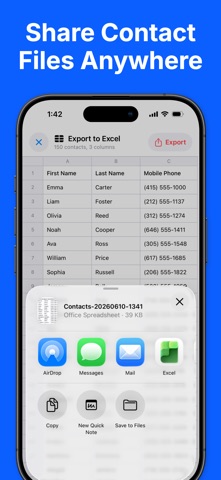
Export all your contacts to Excel, CSV, PDF, and vCard format - Easy to use - Safe and secure — contacts never leave your device - Export to Excel (XLSX), CSV, PDF, and vCard (VCF) - Send exported files via Email, iMessage, AirDrop, iCloud, Slack, Dropbox, … - Ready for Excel and Google Sheets - Back up and share your address book in 1 click Perfect for backing up your address book, moving contacts to a new phone, building a mailing list, or printing a clean contact sheet. Everything is processed on-device. Your contacts are never uploaded to any server. FREE: - Export up to 50 contacts at a time - All formats included: Excel, CSV, PDF, and vCard - Standard columns (name, phone, email, and more) PRO: - Export your entire address book — no 50-contact limit - Pick exactly which columns to export - Reorder columns to fit your needs - One-time purchase, no subscription Privacy policy: https://richsoft.app/contact/privacy Terms of service: https://www.apple.com/legal/internet-services/itunes/dev/stdeula/
Latest release
What’s New
You can now export contact Notes! • New: your contacts' Notes are now included when you export to Excel, CSV, vCard, and PDF. • The Notes column is on by default — Pro users can show or hide it in Export Columns. • Stability improvements and minor bug fixes. As always, your contacts are processed entirely on your device and are never uploaded anywhere.
Audience growth
Ratings growth
Baseline captured. Growth appears after the crawler observes a changed rating count.
Momentum comes from crawler snapshots for the tracked storefront. “Viral growth signal” means unusually fast recent rating gains; it is an indicator, not download data.
Price tracking
Price intelligence
First snapshot captured. The trend line starts after the next crawler price observation.
- First observed Aug 11, 2026 · 9:11 AM Free
Screenshots