About this app
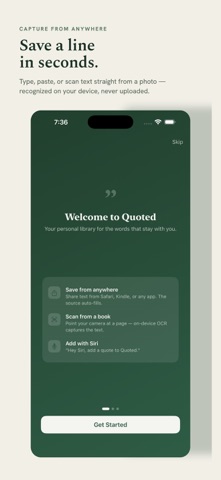
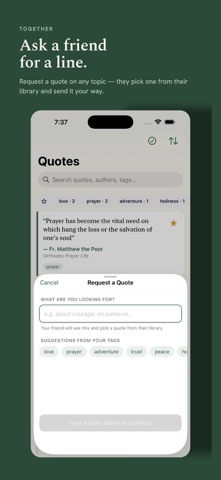
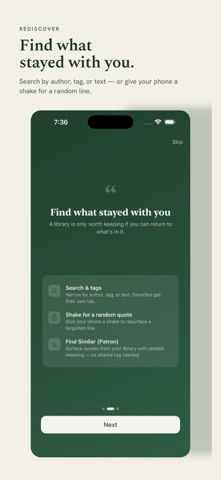
Quoted — Lines Worth Keeping Every great line deserves a home. Quoted is a beautiful, private library for the quotes you never want to lose — from books, speeches, films, articles, and conversations. Capture a quote in seconds, organize it your way, and rediscover it when you least expect to. CAPTURE FROM ANYWHERE Type or paste a quote in seconds Scan text straight from a photo — recognized on your device, never uploaded Share text from Safari, Kindle, or any app right into Quoted Ask a friend for a quote with Request a Quote ORGANIZE YOUR WAY Tag quotes and search your whole library instantly Mark favorites for the lines you return to Browse by author, with bios fetched automatically Select multiple quotes to tag, favorite, or organize at once REDISCOVER & SHARE A Home Screen widget surfaces a quote each day Turn any quote into a beautiful shareable image Find Editor's Pick — a hidden selection of hand-picked quotes Earn Badges as you build your collection — a fun way to track your streaks and milestones PRIVATE BY DESIGN Your quotes stay on your device and your own iCloud account No servers, no tracking, no ads — ever Export your whole library anytime as a backup QUOTED PATRON Support the app with a one-time unlock (no subscription) and make Quoted yours: Find Similar — discover related quotes by meaning, even without shared authors or tags Extra app themes beyond the classic bottle green Alternate Home Screen app icons More fonts for your share-as-image cards Bonus widget styles Exclusive Patron badges Quoted is free to use, with everything you need to start collecting today. Keep the lines worth keeping.
Latest release
What’s New
iPad just caught up to iPhone. This release brings the full Quoted experience to iPad: • Scan, dictate, and request quotes — the same four ways to capture a quote on iPhone now work on iPad, not just typing • Smart Search — find quotes by meaning, not just keywords, right from the iPad sidebar • Multi-select — tag, favorite, or delete several quotes at once • Long-press any quote for quick actions, and tap an author's name to see everything by them • Daily Quote notifications now open the right quote on iPad • Shake for a random quote, and the hidden Editor's Picks feature, both now work on iPad Also in this release: Suggest Tags gives clearer feedback when it can't generate tags for a quote, and now offers simple keyword tags as a fallback instead of leaving you empty-handed.
Audience growth
Ratings growth
Baseline captured. Growth appears after the crawler observes a changed rating count.
Momentum comes from crawler snapshots for the tracked storefront. “Viral growth signal” means unusually fast recent rating gains; it is an indicator, not download data.
Price tracking
Price intelligence
First snapshot captured. The trend line starts after the next crawler price observation.
- First observed Aug 21, 2026 · 12:05 AM Free
Screenshots