About this app
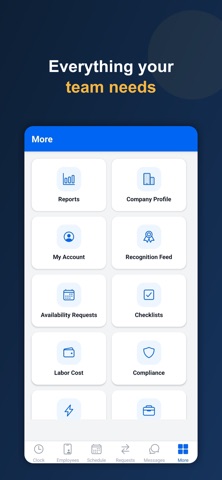
Ponchi is a simple time clock and scheduling app for small and medium-sized businesses — any team that works by the hour, on-site, or in the field. Know who's working, when, and where, without expensive or complicated software. Employees clock in and out from their phone in seconds. Managers get accurate hours, real-time visibility, and clean payroll exports at the end of every pay period. BUILT FOR TEAMS LIKE • Restaurants, cafés & bars • Retail & convenience stores • Construction & skilled trades • Cleaning & janitorial services • Landscaping & lawn care • Healthcare, clinics & home care • Salons, spas & barbershops • Hotels & hospitality • Security & facilities • Warehouses & manufacturing • Field service & mobile crews …and any business with hourly or deskless staff. WHAT YOU CAN DO WITH PONCHI • GPS & geofenced clock-in — confirm team members are actually on-site or at the job site when they clock in, with location verified at each clock event. Ideal for multi-location and field teams. • Photo verification — an optional clock-in/out selfie confirms who's clocking in, cutting down on buddy punching. • Shift scheduling — build and share schedules so everyone knows when and where they work. • Manager approvals — review and approve hours before they hit payroll. • Payroll-ready exports — turn tracked hours into clean Excel exports for your payroll process. • Multiple locations & job sites — manage more than one site from one account. • Team messaging & recognition — keep everyone in the loop. • Fast to set up, easy for employees to use. HOW IT WORKS Add your locations and team, and choose how you want clock-ins verified — GPS, photo, or both. Employees download Ponchi, clock in when they arrive, and managers see hours roll in automatically. GETTING STARTED New to Ponchi? Set up your company account at ponchi.app, then download the app and sign in with your Company ID. Already have an account? Just sign in — your team is ready to go. New companies start with a free trial. Questions or help: hello@ponchi.app
Audience growth
Ratings growth
Baseline captured. Growth appears after the crawler observes a changed rating count.
Momentum comes from crawler snapshots for the tracked storefront. “Viral growth signal” means unusually fast recent rating gains; it is an indicator, not download data.
Price tracking
Price intelligence
First snapshot captured. The trend line starts after the next crawler price observation.
- First observed Sep 2, 2026 · 5:43 AM Free
Screenshots