About this app
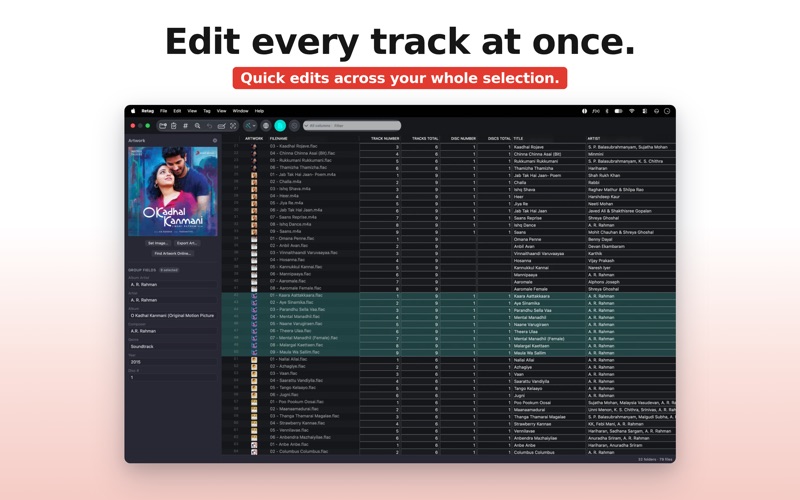
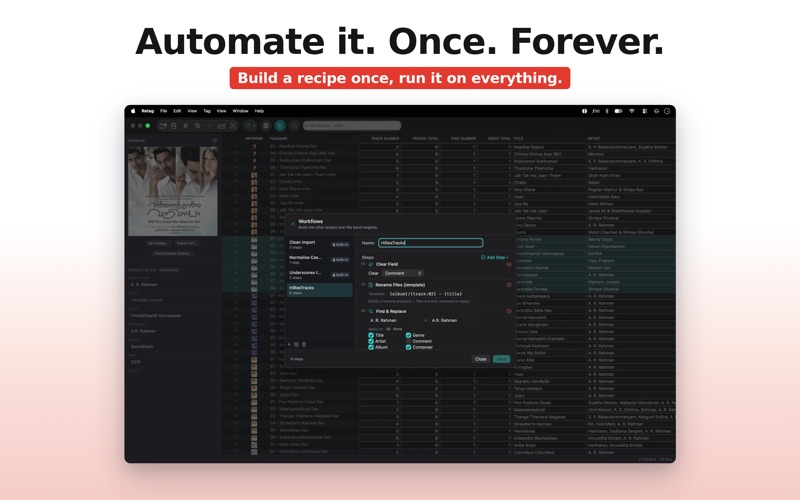
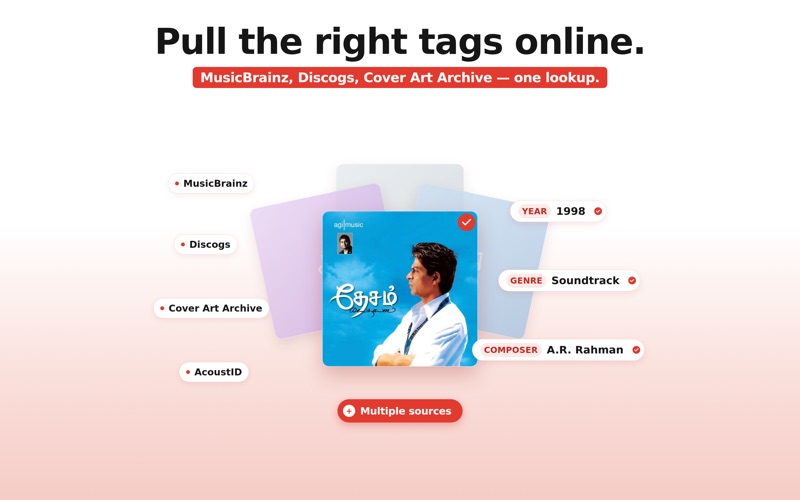
Your music. Your tags. Exactly right. Retag is a batch music tag editor for Mac. Open a folder, fix what is wrong, confirm, and walk away. Every change is previewed before anything is written to disk. The audio itself is never touched. FOR DJs Your DJ software reads your tags. When those tags are inconsistent, your crates are chaos. Retag opens a spreadsheet-style grid: one row per track, every tag field in a column. Select a hundred tracks and set the genre in one keystroke. Sort by BPM, filter by artist, fix the stragglers. Save a column layout as a DJ preset with the fields you actually use (BPM, Key, Genre, Artist, Title) and switch to it in one click. Batch rename before a set so your files are tidy and your folder is readable at a glance. The DJ Crates naming preset is built in, and you can build your own with a live preview before any file moves. Named workflows let you save a sequence of cleanup steps and replay them on any new folder of downloads with one click. Retag works with MP3, AIFF, WAV, AAC, FLAC, and more. FOR AUDIOPHILES A high-resolution lossless collection deserves tags that are as careful as the recordings. Retag reads and writes FLAC, ALAC (M4A), AIFF, WAV, and native DSD (DSF and DFF), in addition to MP3, AAC, OGG, Opus, WMA, and others. No transcoding, no audio conversion, no quality loss at any step. Match tracks by acoustic fingerprint and pull accurate metadata and cover art from MusicBrainz, Discogs, and AcoustID. Fetch artwork from the Cover Art Archive. Every suggested change lands in the staging grid first so you review it before it is applied. Edit lyrics, set star ratings, fix garbled text from old rips, clean up inconsistent casing, and manage embedded cover art across your whole library. Save presets for Plex, Jellyfin, and Navidrome so your media server scans cleanly the first time. Every pending change is visible in the preview grid before you confirm Apply. If you change your mind, multi-level Undo has you covered, even after Apply. WHAT YOU GET - Spreadsheet grid: one row per file, edit any tag field across any selection - Batch operations: set a field on hundreds of tracks at once - Configurable column presets (DJ, Audiophile, or your own) - Acoustic fingerprint lookup via AcoustID, MusicBrainz, and Discogs - Cover art from the Cover Art Archive and Discogs - Batch rename with live preview and named presets (Plex, Jellyfin, Navidrome, DJ Crates) - One-click saved workflows: chain your cleanup steps, replay on any folder - Lyrics editor, star ratings, case cleanup, cover art management - 19 audio formats including native DSD (DSF, DFF), FLAC, ALAC, AIFF, WAV, MP3 - Non-destructive always: preview first, confirm Apply, Undo as needed FREE TO TRY. YOURS TO KEEP. Download Retag for free. Scanning, previewing, and staging changes are unlimited. A one-time in-app purchase, Retag Pro, lets you Apply changes to unlimited files per run. No subscription, no account, no tracking. Your files never leave your Mac.
Latest release
What’s New
Retag is now available in more languages! Added localization support for German and Japanese, making Retag even more accessible around the world.
Audience growth
Ratings growth
Baseline captured. Growth appears after the crawler observes a changed rating count.
Momentum comes from crawler snapshots for the tracked storefront. “Viral growth signal” means unusually fast recent rating gains; it is an indicator, not download data.
Price tracking
Price intelligence
First snapshot captured. The trend line starts after the next crawler price observation.
- First observed Sep 18, 2026 · 7:50 PM Free
Screenshots